
Email automation for small business is one of the highest-return tools available — and one of the most underused. Most small business owners I work with are sending newsletters manually or not following up with leads at all. With even a basic automation setup, you can send the right email to the right person at the right time without touching it after the initial build.
This guide covers the sequences worth building first, how to set them up without a technical background, and how to choose a platform that won’t break your budget.
Table of Contents
- What Email Automation Actually Means for a Small Business
- The Four Sequences Every Small Business Should Build First
- How to Set Up Email Automation Without Technical Skills
- Choosing the Right Email Automation Platform
- Writing Automated Emails That Actually Get Opened
- Metrics to Track and What They Actually Tell You
- Common Email Automation Mistakes to Avoid
- Frequently Asked Questions
What Email Automation Actually Means for a Small Business
Email automation means sending emails based on triggers — actions a subscriber takes, or time intervals — rather than manually scheduling each send. Once built, an automation runs independently, nurturing leads and retaining customers while you focus on delivering your service.
The distinction from a standard email campaign (newsletter, promotion) is key:
- Campaigns are one-to-many broadcasts you send once
- Automations are one-to-one triggered sequences that run for every subscriber who meets the condition
For context on the broader landscape, the email automation guide covers advanced sequences and technical details. This article focuses specifically on practical setup for small businesses with limited time.
The Four Sequences Every Small Business Should Build First
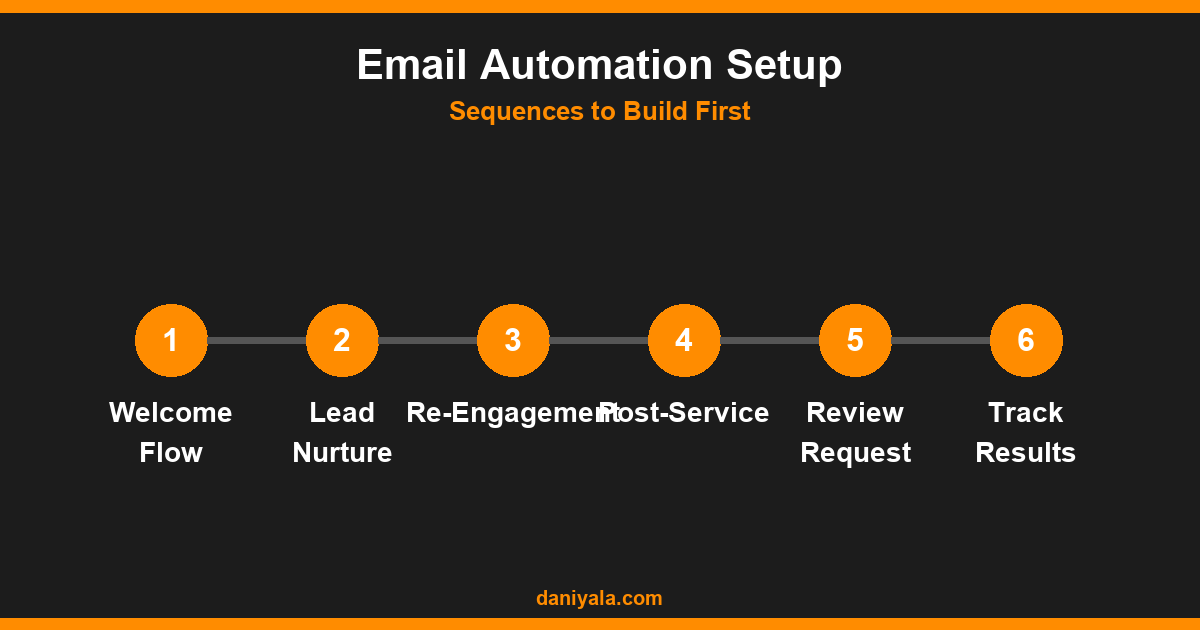
1. Welcome sequence (most important)
This fires when someone joins your list. A good welcome sequence introduces your brand, delivers on your lead magnet promise, and sets expectations for future emails. Three to five emails over seven days is the right length. Open rates on welcome emails typically run 40–60% — three to four times higher than broadcast campaigns — so this is where you make your strongest first impression.
2. Lead nurture sequence
This runs after the welcome sequence for leads who haven’t yet become clients. The goal is to demonstrate expertise and build trust through educational content. Each email addresses a question your prospect has at a specific stage of the buying journey. For a freelancer or service business, four to six emails over three weeks works well.
3. Re-engagement sequence
Subscribers who haven’t opened an email in 90+ days drag down your deliverability. A re-engagement sequence (two to three emails with a clear subject like “Still interested?”) gives you a clean split: those who re-engage stay on the list, those who don’t get removed. This protects your sender reputation and improves the open rates that matter.
4. Post-purchase or post-service follow-up
Sent one to three days after a client pays an invoice or completes a service. Ask for a testimonial, offer a referral incentive, or introduce an upsell. Many small businesses skip this and leave repeat revenue on the table. It’s the easiest sequence to build and often has the best ROI per email sent.
How to Set Up Email Automation Without Technical Skills
Modern email platforms handle the technical side. What you actually need to build is:
- A trigger: What event starts the sequence? (Form submission, purchase, tag applied, date)
- A delay: How many hours or days after the trigger should each email send?
- An email: The content for each step
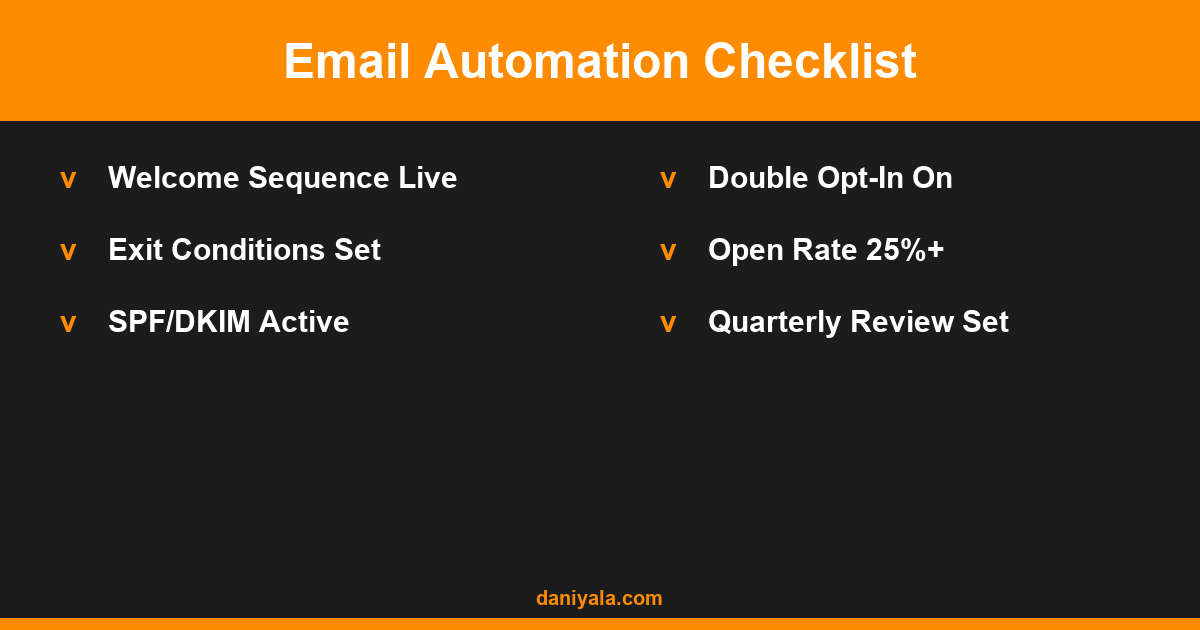
- An exit condition: What stops the sequence? (Purchase made, link clicked, date reached)
In practice, this looks like: “When someone fills out my contact form → wait 1 hour → send Email 1 → wait 2 days → send Email 2 → if they replied, remove from sequence.”
Most platforms have a visual drag-and-drop automation builder. You don’t need to write any code. The logic above maps directly to the builder interface.
Choosing the Right Email Automation Platform
For most small businesses with under 1,000 subscribers, the platform choice comes down to ease of use and cost. Here’s how the main options compare:
| Platform | Free Tier | Automation Depth | Best For |
|---|---|---|---|
| MailerLite | 1,000 subscribers | Good for basic flows | Budget-conscious beginners |
| ActiveCampaign | No free tier (trial only) | Excellent — CRM built in | Service businesses, B2B |
| Mailchimp | 500 contacts | Limited on free tier | E-commerce beginners |
| Brevo (Sendinblue) | Unlimited contacts, 300 sends/day | Good for transactional email too | Mixed email + SMS needs |
I use MailerLite for most small business client setups — the free tier is genuinely useful, and the automation builder is among the most intuitive available. For service businesses that want CRM integration, ActiveCampaign is worth the cost from around 500 contacts.
Writing Automated Emails That Actually Get Opened
Automation only works if people open the emails. The biggest factor in open rates is the subject line, but most small businesses focus on the body and neglect the subject.
Subject line rules that work in 2026:
- Keep them under 50 characters (most email clients truncate after 40–50)
- Avoid spam trigger words (free, guarantee, no risk, act now)
- Use curiosity or specificity — “3 things I check before any SEO audit” outperforms “Our SEO guide is ready”
- Personalise with first name where you have it — it consistently improves open rates
- Test preview text — this is the line after the subject in the inbox, and most platforms let you customise it
For the email body: keep it short (150–250 words for automated nurture emails), write in plain conversational language, and have a single clear call to action per email. Multiple CTAs dilute each other.
Metrics to Track and What They Actually Tell You
Focus on these four metrics for your automated sequences:
- Open rate: Aim for 25–40% on welcome and nurture sequences. Below 20% suggests subject line or list quality issues.
- Click rate: 2–5% is healthy for nurture emails. Low click rates with high open rates mean your CTA isn’t compelling enough.
- Unsubscribe rate: Under 0.5% per email is acceptable. Spikes mean irrelevant content or too-frequent sending.
- Conversion rate: Depends on your sequence goal — for welcome sequences, track how many move to inquiry/purchase within 30 days.
For guidance on building out your full email marketing strategy alongside automation, the email marketing for small business guide covers list building, campaign planning, and segmentation in detail. And for the fundamentals of how email marketing works, the what is email marketing guide is a solid starting point.
Common Email Automation Mistakes to Avoid
- Building sequences before building a list: You need people to send to. Start list building before you spend time on automation architecture.
- No exit condition: Without a condition that stops the sequence when a lead converts, a new client can still receive your “why you should hire me” emails. Always add an exit tag or purchase condition.
- Generic personalisation: Adding a first name is table stakes. Segmenting by service interest or lead source produces meaningfully better results.
- Never reviewing automations: Set a quarterly calendar reminder to check performance metrics and update outdated content. Evergreen automations still need refreshing.
Frequently Asked Questions
How much does email automation cost for a small business?
For under 1,000 subscribers, you can set up effective email automation for free using MailerLite or Brevo. Beyond that, expect $15–$50 per month for a platform that handles most small business needs. ActiveCampaign starts at around $29/month for 1,000 contacts with full automation features. The cost per client acquired is almost always well below other marketing channels.
How long does it take to set up a welcome sequence?
A three-email welcome sequence takes most people two to four hours to write and set up the first time. The logic is simple: Email 1 delivers your lead magnet or confirms sign-up, Email 2 (two days later) shares something educational, Email 3 (three days after that) introduces your service or next step. Once live, it runs automatically for every new subscriber.
Can I automate emails for a local service business?
Yes — email automation is just as effective for local service businesses as for e-commerce. The most useful sequences are post-inquiry follow-ups, appointment reminders, and review request emails sent after a job is completed. You don’t need a large list to see results; even 50–100 well-segmented contacts can generate consistent referrals and repeat business through automation.
What is the best email automation platform for beginners?
MailerLite is the easiest for beginners — the visual automation builder is intuitive, the free tier is generous, and the documentation is thorough. If you need CRM features alongside email (tracking deal stages, contact scoring), ActiveCampaign is worth the learning curve. Avoid overly complex platforms until you’ve built and tested at least one full sequence.
How do I avoid my automated emails landing in spam?
Use a verified sending domain (authenticate with SPF, DKIM, and DMARC — your email platform’s settings guide covers this). Build your list with double opt-in to ensure only interested subscribers receive your emails. Maintain list hygiene by removing hard bounces and re-engaging or removing inactive contacts every 90 days. Avoid attachment-heavy or image-only emails in automated sequences.
Need help implementing this? I’m Daniyal — freelance SEO & WordPress expert. Contact me or find me on Upwork.










 by Daniyal © 2026 All Rights Reserved