
Finding the best seo plugins for wordpress 2026 is harder than it looks. Install the wrong one and you’ve got duplicate meta tags, bloated page load times, or a schema setup that Google quietly ignores. I’ve tested the major contenders on real client sites over the past year, and the landscape has shifted enough that last year’s rankings deserve a revisit. This guide gives you my current recommendations — what each plugin does well, where it falls short, and which one makes sense for your site type.
Whether you’re running a local service site, a WooCommerce store, or a content blog, the right SEO plugin in 2026 does far more than let you type a meta description. It handles schema markup, redirects, XML sitemaps, content analysis, and increasingly, real-time suggestions based on what’s actually ranking. Before we get into the picks, here’s what I look for during any plugin evaluation.
Table of Contents
- What to Look for in a WordPress SEO Plugin in 2026
- 1. Rank Math — Best Overall WordPress SEO Plugin in 2026
- 2. Yoast SEO — Best for Beginners and Non-Technical Users
- 3. All in One SEO (AIOSEO) — Best for WooCommerce Stores
- 4. The SEO Framework — Best Lightweight, Developer-Friendly Option
- 5. SEOPress — Best Value for Agencies Managing Multiple Sites
- Comparison Table: WordPress SEO Plugins at a Glance (2026)
- Which Plugin Should You Install?
- Frequently Asked Questions
What to Look for in a WordPress SEO Plugin in 2026
Three years ago the checklist was short: can it set title tags, meta descriptions, and an XML sitemap? Those are table stakes now. Here’s what separates good plugins from great ones in 2026:
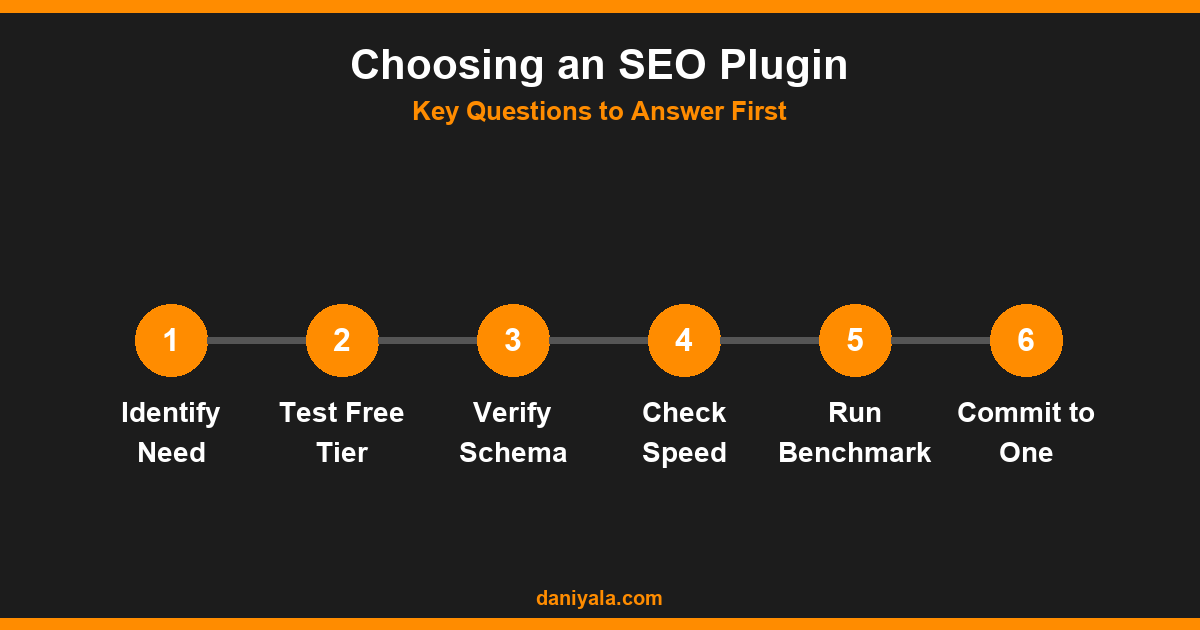
- Schema markup breadth — Article, FAQPage, Product, HowTo, LocalBusiness, BreadcrumbList. If a plugin handles fewer than 10 schema types in the free tier, it’s showing its age.
- Multiple focus keyword support — One keyword per page is a ceiling for most content. Look for at least 5 slots without paying.
- Built-in redirect manager — You will eventually need to manage 301s. Having this as part of your SEO plugin saves installing yet another plugin.
- Real-time content analysis — Not just keyword density but heading structure, internal link counts, readability, and sentence length signals.
- Site speed impact — Some SEO plugins add significant overhead. Run a quick GTmetrix test before committing to any plugin at scale.
- REST API compatibility — Critical for headless WordPress setups, custom post types, and third-party publishing workflows.
For a broader look at how these plugins integrate into a complete SEO setup, see my complete WordPress SEO guide. With those criteria in mind, here are my 2026 picks.
1. Rank Math — Best Overall WordPress SEO Plugin in 2026
What Rank Math Does
Rank Math has been my primary recommendation since late 2023, and nothing in 2026 has changed that. The free version includes support for over 20 schema types, up to 5 focus keywords per post, a redirect manager, a local SEO module, WooCommerce SEO, a 404 monitor, and a Google Analytics integration. Most competing plugins gate at least half of those features behind paid plans.
In 2026 Rank Math refreshed its AI content suggestions sidebar — these are now genuinely useful for identifying topical gaps, not just keyword stuffing reminders. The schema builder has also been updated to comply with Google’s latest FAQ and HowTo schema visibility guidelines. For most WordPress sites, the free tier is more than enough.
What I Like
- Free tier is genuinely excellent — most sites will never need to upgrade
- Schema types include FAQ, HowTo, Product, Recipe, LocalBusiness, Article, and more
- GSC analytics integration pulls real data directly into the WordPress dashboard
- Redirect manager handles 301, 302, and 410 responses natively
- Clean codebase — lighter on page load than Yoast on most hosting environments
Limitations
- Setup wizard can overwhelm new users — it surfaces a lot of modules at once
- Pro tier ($59/year) adds useful features, but the free tier is so good that upsells feel unnecessary
- Occasional conflicts with aggressive caching plugins if modules aren’t configured correctly
For a detailed head-to-head between the two most popular choices, see my Rank Math vs Yoast SEO comparison.
2. Yoast SEO — Best for Beginners and Non-Technical Users
What Yoast Does
Yoast has over 13 million active installations — more than any other SEO plugin. Its strength is the user experience: the traffic-light feedback system, readability scoring, and structured setup prompts make it approachable for users who are new to SEO. The free tier covers the basics well: title and meta control, XML sitemaps, breadcrumbs, and foundational schema.
What I Like
- Best onboarding experience — easiest to hand off to a client managing their own content
- Readability analysis goes beyond SEO — checks passive voice, sentence length, subheading distribution
- Premium ($99/year) includes internal linking suggestions, which helps for large content sites
- Large community and documentation base — easier to find answers when something breaks
Limitations
- Free tier allows only one focus keyword per post — a real constraint for competitive content
- Schema support is basic compared to Rank Math without paying for add-ons
- Heavier than Rank Math on page load on typical shared hosting
- No redirect manager in free tier — you need a separate plugin for that
If you’re managing your own SEO and understand the technical side, Rank Math gives you more. If you’re handing a site to a client or a content writer, Yoast’s guidance rails are genuinely helpful.
3. All in One SEO (AIOSEO) — Best for WooCommerce Stores
AIOSEO has improved significantly over the past two years and has carved out the strongest niche for WooCommerce sites. The Pro tier’s product schema implementation is the cleanest I’ve tested — variable products, reviews, and aggregate ratings come through without manual shortcodes or workarounds.
Key features include an SEO audit checklist, local SEO tools, a smart internal link assistant, and a dedicated WooCommerce module. The free version is functional but limited. The Basic Pro plan ($49.60/year) is where it earns its place. For e-commerce sites where structured data errors translate directly into lost rich results in Google Shopping, that investment pays off quickly.
If you’re building or auditing a WooCommerce store, pair AIOSEO with a proper technical SEO checklist to cover the full scope of what needs configuring beyond the plugin layer.
4. The SEO Framework — Best Lightweight, Developer-Friendly Option
The SEO Framework is for developers and site owners who want complete control with minimal overhead. It’s opinionated by design — no upsell notifications, no gamified progress bars, no colour-coded score bubbles. It handles the essentials cleanly: canonical URLs, title and meta management, XML sitemaps, and structured data for standard post types.
The free version is genuinely strong. Extensions (sold via the API) add local SEO, WooCommerce integration, and an on-page SEO helper module. If your priority is a fast, lean WordPress install and you’re comfortable reading documentation, this is the plugin I’d recommend. It’s also the only plugin on this list I’d use without hesitation on a headless WordPress or REST API publishing setup.
5. SEOPress — Best Value for Agencies Managing Multiple Sites
SEOPress makes sense primarily for agencies. The Pro licence costs $49/year for unlimited sites — no per-site fees. That price structure alone is compelling if you’re managing a client portfolio and want a consistent SEO layer across 10 or 20 WordPress installs.
Features include white-label options, a content analysis tool, schema support, a redirect manager, and local SEO. It lacks the UI polish of Rank Math or Yoast, but the feature set is complete. I’ve used it on several agency client sites without issues. For comparison across all five, see my full guide to best SEO plugins for WordPress.
Comparison Table: WordPress SEO Plugins at a Glance (2026)
| Plugin | Free Tier Quality | Schema Types | Multi-Keyword | Redirect Manager | Best For |
|---|---|---|---|---|---|
| Rank Math | Excellent | 20+ types | Yes (5 free) | Free | Most sites |
| Yoast SEO | Good | Basic | Pro only | Premium only | Beginners / Teams |
| AIOSEO | Moderate | Strong (Pro) | Pro only | Pro only | WooCommerce stores |
| SEO Framework | Strong | Core types | N/A | Extension needed | Developers |
| SEOPress | Good | Good | Yes | Pro only | Agencies |
Which Plugin Should You Install?
My honest decision framework based on what works in practice:
- Default choice for most sites: Rank Math free. The most capable free tier available. Handles 95% of use cases without upgrading.
- Client site you’re handing over to a non-technical user: Yoast SEO. The guided experience reduces content-management errors.
- WooCommerce store with more than 50 products: AIOSEO Pro. The product schema handling outperforms the others.
- Speed-critical or headless WordPress: The SEO Framework. Minimal overhead, maximum compatibility.
- Agency managing 10+ client sites: SEOPress Pro. Unlimited sites, white-label, reliable support.
One thing to avoid regardless of which plugin you choose: never run two SEO plugins simultaneously. Rank Math and Yoast active at the same time will produce duplicate title tags, conflicting XML sitemaps, and potential structured data conflicts. Pick one, configure it fully, and deactivate the rest. Your WordPress SEO setup should have exactly one SEO plugin running at any time.
For a full technical audit of your site once the plugin is configured, make sure you also run through the official Google Search Console setup guide and check that your sitemap is indexed. The plugin is only as useful as the data you can see in GSC. Also check your site’s structured data directly using the WordPress plugin directory to verify there are no conflicting plugins active.
Frequently Asked Questions
What is the best free SEO plugin for WordPress in 2026?
Rank Math has the strongest free tier in 2026. It includes 20+ schema types, up to 5 focus keywords per post, a redirect manager, and a 404 monitor — features that other plugins reserve for paid tiers. For the vast majority of WordPress sites, the free version is sufficient without any upgrade.
Is Rank Math better than Yoast SEO?
For technical users managing their own SEO, Rank Math offers more in the free tier. For non-technical users or teams where content writers need guided feedback, Yoast’s simpler interface reduces mistakes. Neither is universally better — the right choice depends on who is using it day-to-day and how comfortable they are with technical configuration.
Do I need a paid SEO plugin for my WordPress site?
For most sites, no. Rank Math’s free version covers the essential technical SEO layer: title tags, meta descriptions, XML sitemaps, schema markup, and content analysis. Paid upgrades make sense for advanced needs like AI content analysis, bulk redirect management, or agency multi-site licensing. Start free and upgrade only if you hit a specific limitation.
Can I run two SEO plugins at the same time?
No. Running two SEO plugins simultaneously causes duplicate title tags, duplicate XML sitemaps, and conflicting schema markup. Search engines treat duplicate meta information as a quality issue. Install exactly one SEO plugin, configure it properly, and deactivate any others — including legacy plugins left over from a previous setup.
How do SEO plugins actually help with Google rankings?
SEO plugins handle the technical foundation: correct title tags, canonical URLs, structured data, and XML sitemaps. They don’t directly cause ranking improvements — content still needs to be relevant, authoritative, and useful to the searcher. What plugins prevent are technical errors that would actively hold rankings back. Think of a plugin as the foundation rather than the building.
Need help implementing this? I’m Daniyal — freelance SEO & WordPress expert. Contact me or find me on Upwork.












 by Daniyal © 2026 All Rights Reserved