
Most small businesses approach SEO backwards — they publish a few blog posts, wonder why nothing moves, and conclude that SEO doesn’t work for them. The reality is that best SEO strategies for small business are specific and sequenced. You need to fix the right things in the right order, not scatter effort across every tactic at once. After working with dozens of small business clients across WordPress, e-commerce, and local service businesses, I can tell you what actually moves rankings — and what wastes your time.
This guide covers the core strategies, in the order that makes the most practical sense for a small business with limited time and budget.
Table of Contents
- Start with a Technical Health Check
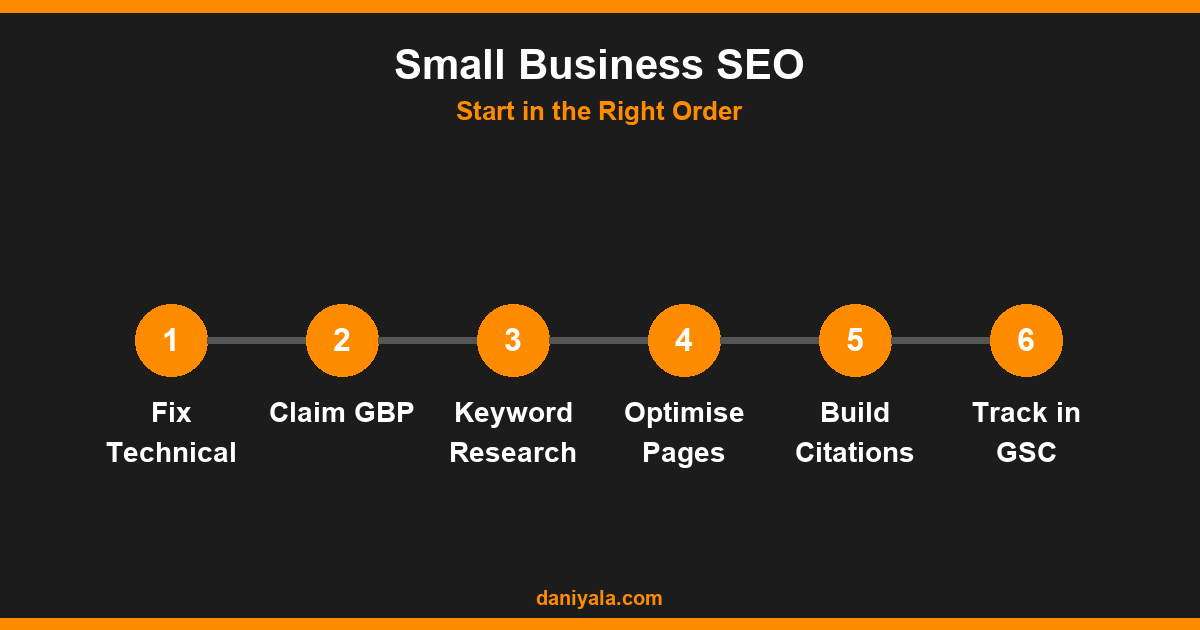
- Claim and Fully Optimise Your Google Business Profile
- Do Keyword Research Before Writing Anything
- Optimise Your Core Pages First
- Build Content Around What Your Customers Search
- Build Local Citations and Backlinks
- Track Your Progress in Google Search Console
- Prioritise and Be Consistent
- Frequently Asked Questions
Start with a Technical Health Check
Before you write a single blog post or build a single link, your website needs to be technically clean. A site that search engines can’t crawl properly will not rank regardless of how good your content is.
The core technical checks for a small business site:
- Crawlability: Ensure your key pages are not accidentally blocked in robots.txt or marked noindex. Use Google Search Console (free) to check which URLs are indexed.
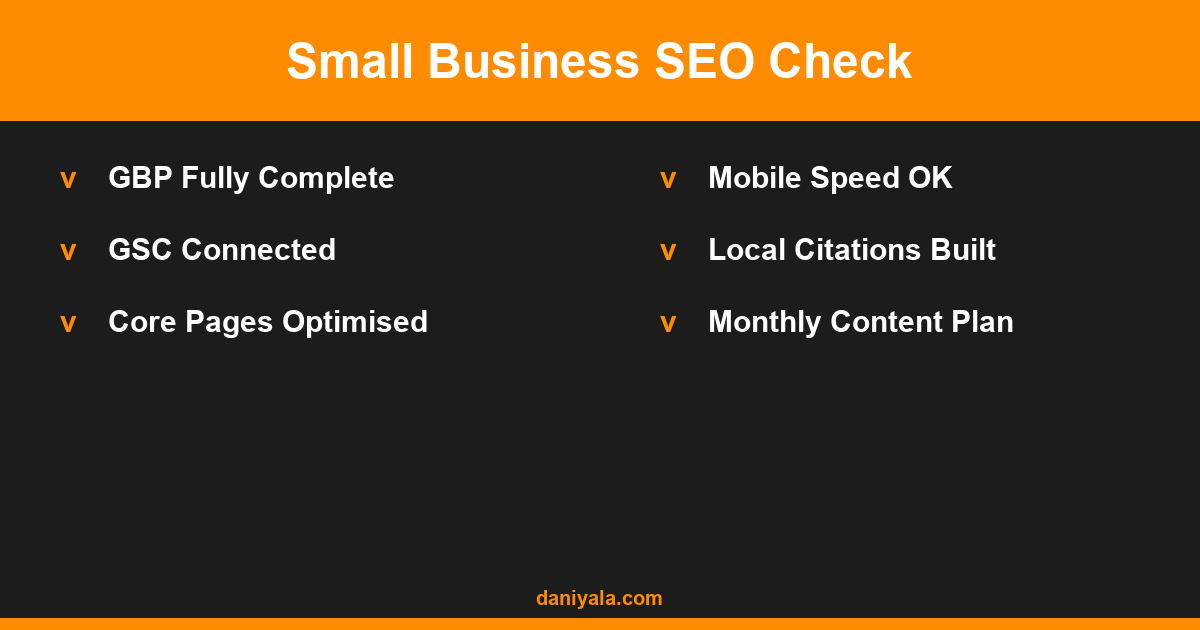
- Page speed: Run your site through Google PageSpeed Insights. Aim for a mobile score above 70. Slow sites lose rankings and visitors.
- Mobile usability: Over 60% of search traffic is mobile. Use Google Search Console’s Mobile Usability report to identify any broken elements on small screens.
- HTTPS: Your site must run on HTTPS (SSL certificate active). Most hosting providers offer free SSL — there is no reason not to have it.
- Broken links: Fix any 404 errors on internal links. These waste crawl budget and create poor user experience.
For a full checklist of technical items to address, my technical SEO audit guide walks through everything step by step — including how to interpret Google Search Console reports.
Claim and Fully Optimise Your Google Business Profile
If your business serves customers in a specific location — a shop, a service area, a clinic — Google Business Profile (GBP) is the single most impactful SEO action you can take. It controls how you appear in Google Maps and the local results pack (the three businesses that appear above organic results for local queries).
Most businesses claim their GBP listing but leave it half-complete. To compete effectively:
- Fill every field: business name, categories, description, hours, phone, website, service area
- Add your primary service category accurately — this directly affects which searches you appear for
- Upload 10–20 photos: exterior, interior, team, work examples (avoid stock photos)
- Write a description that includes your main service and city naturally
- Post updates weekly — news, offers, events — to signal active management
- Respond to every review (positive and negative) within 48 hours
A fully optimised GBP profile regularly outranks sites with far stronger domain authority for local queries. For many service businesses, this is the fastest path to page-one visibility with no paid ads.
Do Keyword Research Before Writing Anything
Most small business owners write content based on what they think their customers search for. The actual searches are often different. Keyword research replaces guesswork with data.
Free tools for keyword research:
- Google Search Console: Shows what queries your site already gets impressions for. Look for keywords at position 4–20 — these are close to page one and worth optimising.
- Google Autocomplete and Related Searches: Type your main service into Google and record the suggestions. These are real searches from real people.
- AnswerThePublic (free tier): Generates question-based keyword variations useful for FAQ and blog content.
Target a mix of:
- Local intent keywords: “[service] in [city]”, “[city] [service] cost”, “best [service] near me”
- Informational keywords: “how to [solve problem]”, “what is [service]”, “[problem] causes and fixes”
- Commercial keywords: “[service] prices”, “hire a [professional]”, “[service] company [city]”
Build pages and posts around these specific queries rather than writing general content. My full keyword research guide covers the process in depth, including how to assess keyword difficulty and prioritise by impact.
Optimise Your Core Pages First
Before investing in content marketing, make sure your most important pages are properly optimised. For most small businesses, these are:
- Homepage
- Service pages (one per main service)
- Contact page
- About page
For each page, ensure:
- The title tag (visible in the browser tab) includes the focus keyword and your city/service area
- The meta description (shown in Google results) is 150–160 characters, includes the keyword, and has a clear reason to click
- The H1 heading matches or closely matches the page’s focus keyword
- The page content naturally includes the keyword in the first paragraph, at least one H2, and in image alt text
- The page links internally to related service pages and blog posts
This on-page work is foundational. Search engines need clear signals about what each page is about — vague, generic pages rank for nothing specific.
Build Content Around What Your Customers Search
Once your core pages are optimised, content is where sustainable organic growth comes from. For small businesses, the most effective content strategy is local and question-based — not mass blogging.
The best SEO strategies for small business in content terms:
Location pages: If you serve multiple cities, create a dedicated page for each with specific references to that area. “Plumber in Lahore” and “Plumber in Karachi” should be separate pages with unique content, not the same page with the city name swapped.
Service-specific pages: Each service should have its own dedicated page rather than a single catch-all services page. “Emergency plumbing”, “boiler installation”, and “bathroom fitting” each target different searches.
FAQ-style blog posts: Answer the specific questions your customers ask you in person. If you regularly get asked “how much does it cost to install a heat pump?” — that’s a blog post. These informational articles build topical authority and capture commercial intent from people early in their buying journey.
For small businesses specifically, publishing two or three targeted blog posts a month consistently outperforms sporadic bursts of ten posts followed by months of inactivity.
Build Local Citations and Backlinks
Citations — mentions of your business name, address, and phone number (NAP) on other websites — are a core local ranking factor. Consistency matters: your NAP should be identical everywhere it appears.
Start with the high-priority directories:
- Google Business Profile
- Bing Places for Business
- Yellow Pages (local equivalent for your country)
- Facebook Business page
- LinkedIn Company page
- Industry-specific directories (legal directories, trade associations, health directories, etc.)
Beyond citations, aim to earn links from relevant local sources: local news sites, business association websites, community blogs, and suppliers who list their clients. Guest posting on industry blogs is worth pursuing if you can write genuinely useful content for their audience.
Avoid paid link schemes. Purchased links from link farms or PBNs risk Google penalties that can remove your site from search results entirely — a far worse outcome than slow organic growth.
Track Your Progress in Google Search Console
Many small businesses invest in SEO but never measure it. Without data, you can’t know which efforts are working and which to double down on.
Google Search Console is free and gives you direct data from Google: which queries you rank for, which pages get clicks, crawl errors, and manual action notifications. Set it up on day one if you haven’t already — it takes 15 minutes.
Track these metrics monthly:
- Total clicks from organic search (are they growing?)
- Impressions for your target keywords (is Google showing your pages?)
- Average position for core service keywords (are you moving toward page one?)
- Pages with declining impressions (may need updating or internal links)
Pair GSC with Google Analytics to understand what visitors do after they arrive from search — which pages drive enquiries, which have high bounce rates, and where users drop off. This data closes the loop between SEO effort and actual business outcomes.
Prioritise and Be Consistent
The most important thing I tell small business clients about SEO is this: consistency over intensity. Publishing one optimised article per week for six months beats publishing twenty articles in January then nothing until September.
Google rewards freshness and topical authority built over time. A site that consistently adds relevant content and earns new citations and links each month will outrank a site that did a large one-time push. For a realistic look at what ongoing SEO services include for businesses in your position, see my guide on SEO services for small business.
And if you want to understand more about how a complete SEO strategy fits together, my full guide on SEO for small business covers the end-to-end process with examples from real service businesses.
Frequently Asked Questions
What is the most important SEO strategy for a local small business?
For a local business, Google Business Profile optimisation is the single highest-impact action. A fully completed GBP listing with photos, reviews, regular posts, and accurate categories regularly outranks websites with stronger domain authority for local searches. After GBP, fix technical issues on your site and optimise your core service pages before investing in content or link building.
How long does SEO take to work for a small business?
For local SEO with GBP optimisation, businesses often see map pack improvements within 4–8 weeks of consistent effort. Organic rankings for service pages typically show movement in 3–6 months. Competitive markets take longer. New domains need 6–12 months before significant organic traffic appears. SEO is a long-term investment — the results compound over time, not overnight.
How much should a small business budget for SEO?
A realistic starting budget for a small business is $300–$800 per month for managed SEO services covering local optimisation, on-page improvements, and basic content. A DIY approach spending only tool costs ($50–$100/month) is viable with consistent weekly effort. Budgets below $200/month for agency services typically produce no meaningful results due to the limited work hours they can support.
Do I need a blog for small business SEO?
Not necessarily, but content does help. For purely local service businesses (plumber, electrician, dentist), properly optimised service and location pages are more important than a blog. A blog becomes valuable when you want to capture informational searches from people researching your service before buying — it builds trust and topical authority that supports your commercial pages over time.
What are the biggest SEO mistakes small businesses make?
The most common mistakes: ignoring Google Business Profile, writing content without keyword research first, not fixing technical issues before investing in content, having identical content on multiple location pages, and expecting results in less than 3 months. Also common: paying for cheap SEO packages that deliver no real work, or buying links that risk Google penalties and hurt rather than help rankings.
Need help implementing an SEO strategy that fits your budget and timeline? I’m Daniyal — freelance SEO & WordPress expert. Contact me or find me on Upwork.








 by Daniyal © 2026 All Rights Reserved