

The honest answer to “can I do SEO myself” is yes — with significant qualifications. SEO is not magic, and a large portion of what moves rankings is learnable and executable by a non-specialist who is willing to invest consistent time. But there are tasks that are genuinely difficult to do well without experience, and underestimating them is what leads most DIY SEO attempts to stall out after a few months.
In this guide I’ll break down which SEO tasks you can realistically handle yourself, which require more technical depth, what tools you actually need, and how to decide when hiring a specialist makes more sense than continuing solo. I’ve done this work for 70+ clients and have seen both extremes — business owners who handled their own SEO effectively for years, and those who spent months on the wrong tasks and wondered why nothing moved.
Table of Contents
What SEO Tasks You Can Absolutely Do Yourself
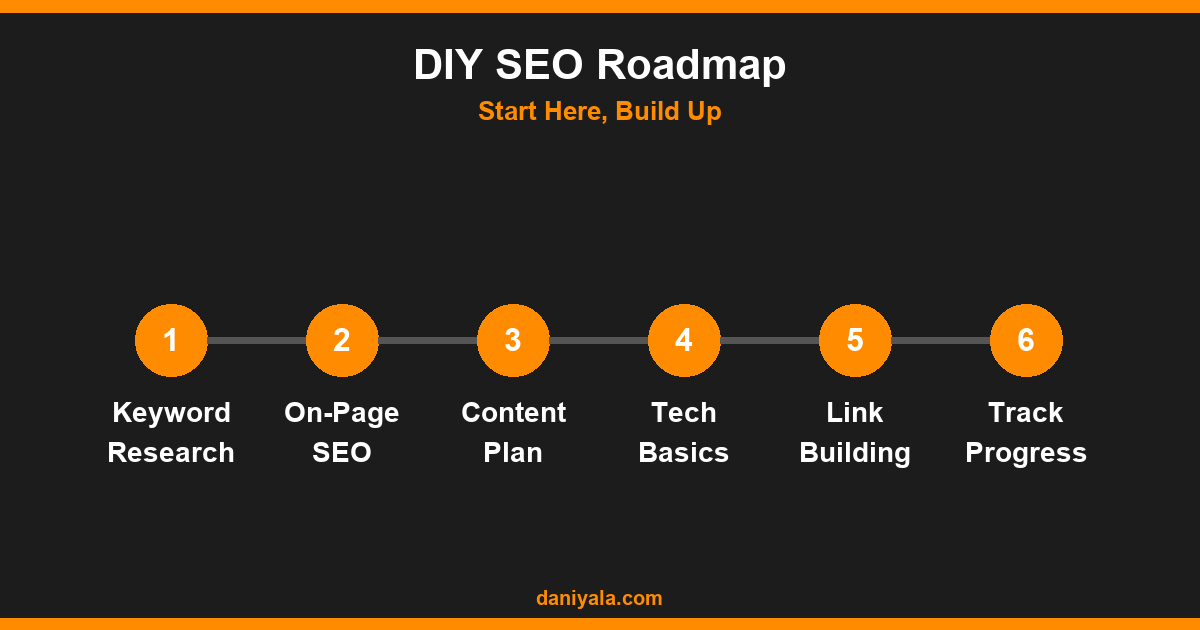
A meaningful portion of SEO — possibly the majority of what drives results for small and local businesses — is accessible to non-specialists. Here’s where your own effort is genuinely effective:
Keyword Research
Finding the right keywords is a skill, but not a black box. Free tools like Google Search Console (which shows you what queries your site already ranks for), Google’s autocomplete suggestions, and “People Also Ask” boxes give you a solid picture of how your audience searches. For more structured research, Google Keyword Planner (free with a Google Ads account) and free tiers of tools like Ubersuggest or Semrush give you volume and competition data.
What you’re looking for: keywords where the intent matches what your business offers, where competition is manageable (smaller sites similar to yours ranking, not exclusively large media publishers), and where there’s meaningful search volume. You don’t need 10,000 monthly searches — 200 searches for a highly specific commercial query can be more valuable than 5,000 for an informational one.
On-Page Optimization
Optimizing your page titles, meta descriptions, and header structure is entirely DIY-able — especially if your site runs on WordPress with a plugin like RankMath or Yoast. The basic rules are consistent and well-documented: include your target keyword in the title tag, use it naturally in the first paragraph, structure your page with clear H2 and H3 subheadings, and keep meta descriptions descriptive and readable.
My on-page SEO checklist covers every element you need to review on each page — it’s straightforward to work through on your own without specialist knowledge. For the underlying theory behind why each element matters, my technical SEO audit guide explains what Google’s crawlers are actually looking at.
Content Creation
Publishing useful, specific content targeting the queries your audience uses is the highest-leverage SEO task you can do yourself — and it’s one where a business owner often has a genuine advantage. You know your customers’ questions better than any agency does. You can write from real experience rather than generic research. Content that reflects actual expertise consistently outperforms thin, generic articles in search results.
The framework is simple: identify a question your customers ask regularly, write a comprehensive answer (1,500–2,500 words for most topics), include your target keyword naturally throughout, add a FAQ section at the end answering related questions, and publish consistently. One solid article per week compounds into meaningful traffic over 6–12 months.
Google Business Profile Management
For any business with a local or geographic service area, your Google Business Profile (GBP) is one of the most impactful SEO levers available — and managing it is entirely DIY. Keep your information accurate and complete, respond to all reviews (positive and negative), add photos regularly, and post updates at least monthly. This directly affects your visibility in local search results and Google Maps, often faster than any other SEO tactic.
Internal Linking
Linking between your own pages helps Google understand your site structure and distributes ranking authority across your content. As you publish new articles, link back to your most important pages (services, core topic guides) using descriptive anchor text. When you have a pillar page covering a broad topic, link all related supporting articles to it. This is simple to do yourself and makes a measurable difference for sites with 20+ pages of content.
What’s Harder to DIY
Not everything in SEO is equally accessible. These areas require more technical depth or specialized skills that take longer to develop:
Technical SEO Issues
Crawl errors, indexing problems, duplicate content created by URL parameters, page speed issues rooted in server configuration, Core Web Vitals failures, and broken canonical tags — these exist on a significant proportion of small business websites and are often invisible unless you know how to look. Google Search Console surfaces some of them, but interpreting and fixing them requires technical knowledge most business owners don’t have yet.
My recommendation: even if you plan to DIY everything else, get a one-time technical audit from an SEO professional before starting. Knowing what’s actually broken on your site saves months of work on content that can’t rank until technical issues are resolved.
Link Building
Acquiring links from other relevant websites — one of Google’s primary ranking signals — is genuinely difficult for most business owners to do at scale. Effective link building involves finding appropriate sites, crafting outreach that gets responses, and producing content worth linking to. It’s time-consuming even for specialists. For local businesses, this often starts with getting listed on local directories, industry associations, and local news sites — all manageable DIY. National competitive link building is a different level of effort.
Technical Schema Markup
Structured data (JSON-LD schema) helps Google understand your content and can trigger rich results like FAQ dropdowns and review stars. Adding basic schema is possible with WordPress plugins (RankMath handles it for common types), but more specific schema for products, services, events, or local businesses requires writing or verifying the markup manually.
The Tools You Actually Need for DIY SEO
You don’t need to spend hundreds of dollars per month on SEO tools to do this effectively. Here’s what’s worth using:
- Google Search Console (free): Essential. Shows your rankings, impressions, click-through rates, indexing status, and crawl errors. This is the most important SEO tool available and it’s completely free. Set it up immediately if you haven’t.
- Google Analytics 4 (free): Tracks traffic behavior — which pages people visit, how long they stay, which content drives conversions. Connects directly to Search Console for a complete picture.
- RankMath or Yoast SEO (free tier): WordPress plugins that guide on-page optimization and handle schema markup automatically. Either one is sufficient for DIY SEO on a WordPress site.
- Screaming Frog SEO Spider (free tier — up to 500 URLs): Crawls your site the way Google does and surfaces technical issues. The free version is sufficient for most small business websites.
- Ubersuggest or Semrush free tier: For keyword research when Search Console data alone isn’t enough. Both have useful free tiers.
For actually setting up GSC and verifying your site, the Google Search documentation is the authoritative reference. The Google Search Console itself has improved significantly as a learning tool — the Performance and Coverage reports alone teach you more about how your site performs than most paid tools.
Setting a Realistic DIY SEO Timeline
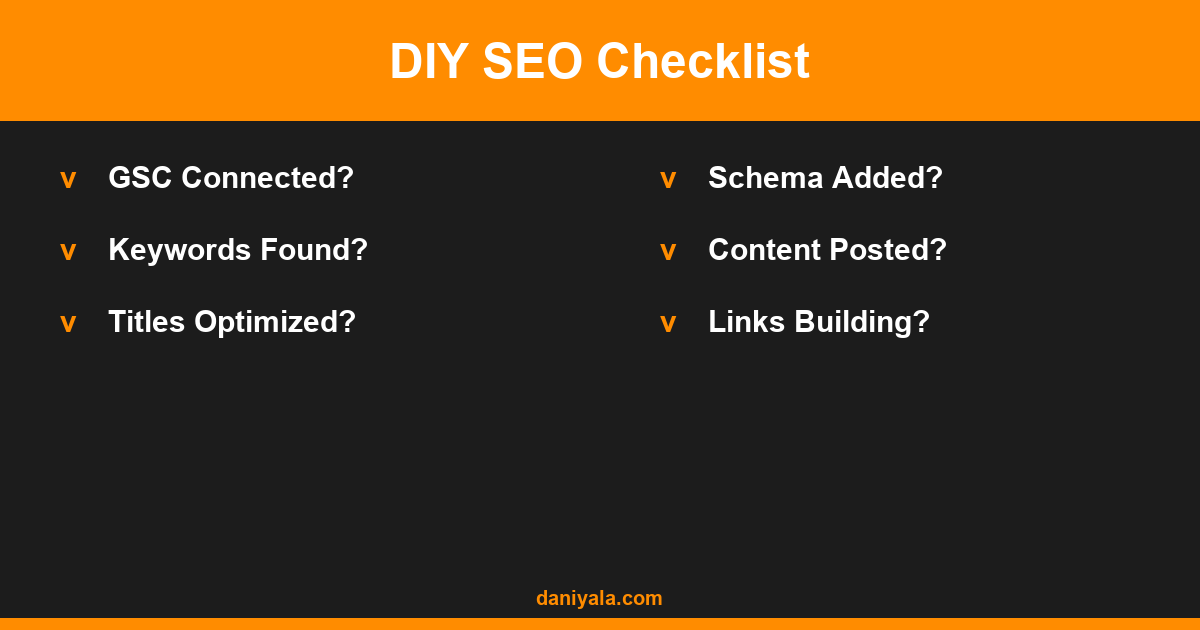
This is where most DIY attempts fail — not from lack of effort, but from unrealistic expectations about speed. Understanding the real timeline prevents you from abandoning a working strategy too early.
- Months 1–2: Technical audit and fixes, on-page optimization of existing key pages, GSC and Analytics setup, Google Business Profile optimization. No ranking movement expected yet.
- Months 2–4: Begin content publishing (1+ article per week), internal linking structure develops, GBP gains engagement. Early ranking signals start appearing in GSC.
- Months 4–6: First meaningful organic traffic for long-tail keywords. Some pages start ranking in positions 10–30. Local pack visibility improves if GBP work was done correctly.
- Months 6–12: Compounding returns as content library grows and internal links strengthen pillar pages. This is where the investment starts showing clear ROI.
If you want to understand this timeline in more detail — including what factors make it faster or slower — my guide on how long SEO takes to work breaks down the variables that affect every site differently.
When to Hire a Specialist Instead
DIY SEO makes sense when your time is available, your competition level is manageable, and you’re willing to learn. It doesn’t make sense when:
- You have significant technical issues (crawl blocks, penalty signals, duplicate content at scale) that require expert diagnosis
- Your competition is ranking with strong domain authority and active link acquisition — which DIY content publishing alone won’t overcome
- Your time is worth more than the cost of hiring — if three hours per week on SEO displaces three hours of billable client work, the math often favors outsourcing
- You’ve been producing content for 6+ months without ranking movement — something structural is likely preventing progress that a technical audit would identify
The best DIY approach for many business owners is a hybrid: do a professional technical audit once, set the strategy correctly, and then handle content creation and basic optimization yourself while hiring for technical issues and link acquisition when needed. This balances cost with effectiveness better than either extreme.
For a detailed guide on the specific techniques that move rankings most reliably — with a focus on what’s achievable without a big budget — my keyword research guide is the best place to start building your strategy around terms you can actually rank for.
Frequently Asked Questions
Can I do SEO myself without any technical knowledge?
Yes, for a large portion of what matters. On-page optimization, content creation, Google Business Profile management, and keyword research are all learnable without technical background. The areas that require more technical depth — crawl issues, server configuration, advanced schema — can often be addressed with a one-time professional audit rather than ongoing technical involvement. Start with what you can handle and add professional support specifically for technical problems as you identify them.
How much time does DIY SEO actually take?
A realistic minimum is 4–6 hours per week for meaningful progress: roughly 2–3 hours on content creation, 1 hour on optimization and internal linking, and 30–60 minutes on monitoring GSC data and GBP management. Below 3 hours per week, progress is very slow for most sites. If you can’t sustain that time investment consistently, hybrid or outsourced SEO will produce better results than sporadic DIY effort.
What is the biggest DIY SEO mistake to avoid?
Publishing content without first doing a technical audit. If your site has crawl blocks, indexing issues, or major speed problems, no amount of new content will move your rankings until those issues are resolved. The second biggest mistake is targeting keywords that are too competitive for your current domain authority — this leads to months of work with no results. Start with long-tail, lower-competition terms and build authority gradually.
Can I do local SEO myself?
Local SEO is particularly well-suited for DIY, especially Google Business Profile optimization. Keeping your GBP accurate, responding to reviews, adding photos, and publishing regular posts are all things you can manage in 1–2 hours per month and they have a direct impact on local pack rankings. Local citation building (getting listed on Yelp, local business directories, industry associations) is also straightforward to do yourself.
How do I know if my DIY SEO is working?
Check Google Search Console monthly — specifically the Performance report showing impressions, clicks, and average position for your target keywords. You want to see impressions growing (Google is showing your pages more) before clicks grow. Track your target keywords in a simple spreadsheet monthly. Growth in impressions typically precedes ranking improvement, which precedes traffic growth. If impressions aren’t growing after 3–4 months of consistent publishing, the issue is usually technical — something is blocking indexing.
Want expert help to get started or to fix what’s blocking your SEO? I’m Daniyal — freelance SEO & WordPress expert. Contact me or find me on Upwork.









 by Daniyal © 2026 All Rights Reserved