
The question I get asked more than any other is: how to do seo for small business without a huge budget, a technical team, or years of experience. The answer is that you don’t need any of those things to get started. You need a clear process, realistic expectations, and the discipline to execute consistently. In this guide, I’ll walk you through exactly what to do, in order, based on what I’ve found works in real client engagements across WordPress, Elementor, and WooCommerce sites.
Small business SEO isn’t the same as enterprise SEO — and that’s good news. You’re more agile, you can dominate a local niche faster, and you don’t need to compete with national brands on every keyword.
Table of Contents
- Why Small Business SEO Is Different
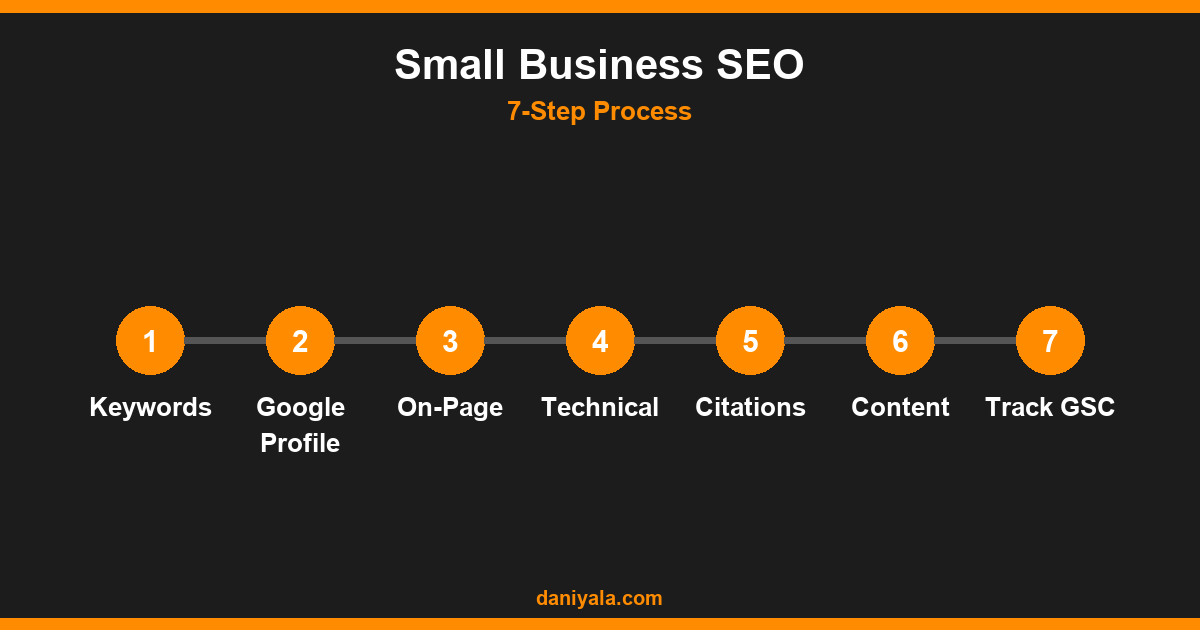
- Step 1: Keyword Research for Your Local Market
- Step 2: Set Up and Optimize Google Business Profile
- Step 3: Fix Your On-Page SEO
- Step 4: Address Technical SEO Basics
- Step 5: Build Local Citations
- Step 6: Create Content for Your Audience
- Step 7: Track Results in Google Search Console
- Frequently Asked Questions
Why Small Business SEO Is Different
Large companies target broad, high-volume keywords and spend tens of thousands per month on content and links. That’s not your battlefield. As a small business, your advantages are specificity and proximity. Ranking for “emergency plumber in Karachi” or “WordPress developer in Lahore” is achievable in months, not years, with the right approach. And because most of your competitors are doing SEO poorly (or not at all), the bar to rank is lower than you might think.
The principles are identical to enterprise SEO — relevance, authority, and technical health — but the tactics prioritize local visibility, trust signals, and hyper-targeted content.
For a comprehensive overview of the full landscape, see our complete SEO for small business guide, which covers strategy alongside these tactical steps.
Step 1: Keyword Research for Your Local Market
Every SEO campaign starts here. Before writing a word of content or making a single change to your site, you need to know what your potential customers are actually typing into Google.
How to find the right keywords
- Start with your services: List your core services, then add location modifiers (city, suburb, region). “WordPress developer” becomes “WordPress developer Lahore” and “WordPress developer Pakistan.”
- Use free tools: Google’s autocomplete, the “People Also Ask” section, and Google Search Console (for sites with existing traffic) are free and highly accurate because they reflect real search behavior.
- Target intent, not just volume: “WordPress developer for hire Pakistan” converts better than “WordPress” even with far lower search volume. Commercial intent keywords are your priority.
- Study your competitors: Search your own services and study what’s on page 1. Those sites are your direct competitors — look at their titles, content depth, and topic coverage.
Aim for 10–20 core target keywords to start. Group them by service or topic — you’ll build one page per group, not one page per individual keyword. My keyword research guide goes deeper into tools, grouping, and prioritization if you want to build this out systematically.
Step 2: Set Up and Optimize Google Business Profile
For local businesses, Google Business Profile (GBP) is the single highest-ROI action you can take. A fully optimized GBP listing appears in the “map pack” — the 3 results shown above organic listings for local searches. This is prime real estate.
What to do
- Claim and verify your listing at Google Business (business.google.com)
- Complete every field: name, address, phone, website, hours, primary category (be specific — “Web Designer” not just “Business”)
- Add at least 10 photos — interior, exterior, team, work samples, before/after
- Write a compelling business description that includes your primary keyword naturally
- Post weekly updates — Google rewards active, maintained listings
- Respond to every review within 48 hours, positive and negative
Most small businesses stop at claiming the listing. The ones that dominate the map pack do all of the above consistently and keep doing it.
Step 3: Fix Your On-Page SEO
On-page SEO is the process of optimizing the content and structure of your website pages so Google understands what each page is about and who it’s for.
Priority fixes for every page
- Title tags: Each page needs a unique title tag under 60 characters that includes the primary keyword and ideally your city or service area.
- Meta descriptions: 150–160 characters, compelling, includes the keyword. Not a direct ranking factor, but strongly affects click-through rates from search results.
- H1: One per page, matches the main topic, includes the keyword naturally.
- Page content: Every service page needs at least 400–600 words of genuine, useful content. Not keyword-stuffed filler — information your customer actually needs to make a decision.
- Internal links: Link related pages to each other. This spreads page authority and helps Google understand your site structure.
- Image alt text: Describe every image with relevant text. Good for accessibility and gives Google additional signals about your content.
Work through my on-page SEO checklist to ensure nothing is missed. It covers every element in the right order and explains why each one matters.
Step 4: Address Technical SEO Basics
Technical SEO ensures search engines can crawl, index, and understand your site correctly. You don’t need to be a developer to handle the fundamentals.
The technical basics every small business site needs
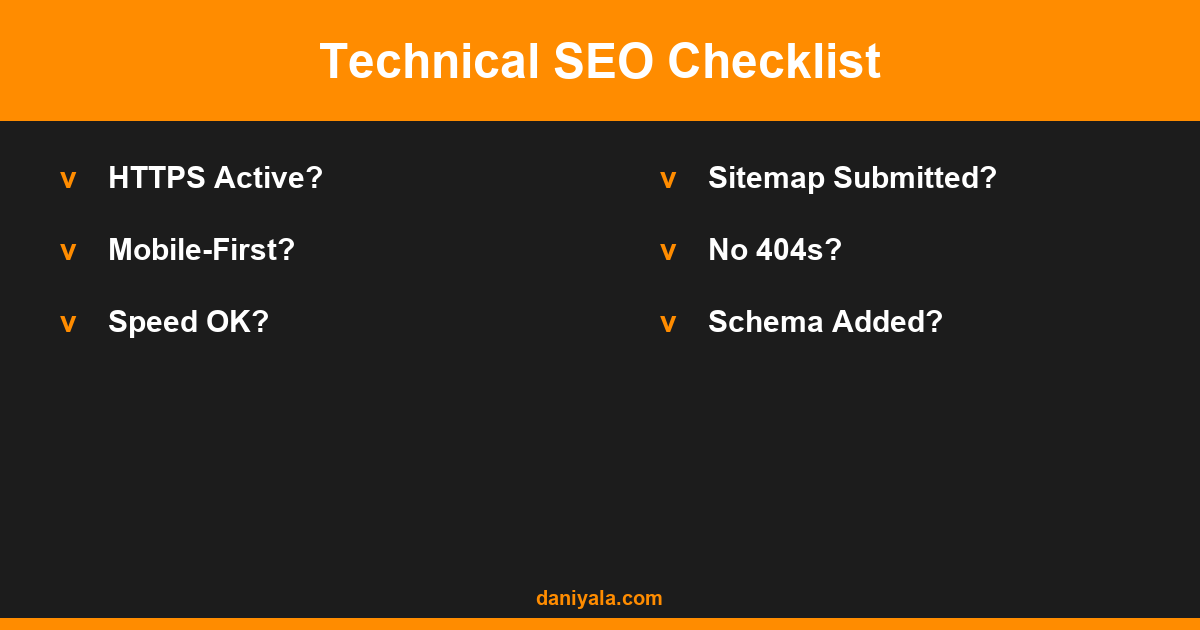
- HTTPS: Your site must be secure. Most hosting providers offer free SSL certificates — if you don’t have it, set it up today.
- Mobile-first: Over 60% of local searches happen on mobile, and Google indexes the mobile version of your site first. Test your site on a phone and fix anything that doesn’t work properly.
- Page speed: Pages that take more than 3 seconds to load lose traffic at every step. Use a caching plugin on WordPress (LiteSpeed Cache or W3 Total Cache) and optimize image sizes.
- XML sitemap: Submit a sitemap via Google Search Console to ensure all your important pages are indexed.
- Broken links: Check for 404 errors monthly and redirect them to the most relevant page.
- LocalBusiness schema: Structured data markup helps Google understand your business type, location, and hours. Add it to your homepage or contact page.
Running a proper technical SEO audit once every 6 months catches issues before they compound. Even if you do it yourself with Screaming Frog (free up to 500 URLs), it’s worth doing.
Step 5: Build Local Citations
A citation is any online mention of your business name, address, and phone number (NAP). Consistent citations across directories are a significant local ranking factor — they tell Google your business information is accurate and trustworthy.
- Start with the major directories: Yelp, Bing Places, Apple Maps, Facebook, Yellow Pages
- Add industry-specific directories (Houzz for contractors, Avvo for lawyers, Healthgrades for medical practices)
- Ensure your NAP is identical everywhere — even small variations (“St.” vs “Street”) can dilute citation trust
- Remove or merge duplicate listings where they exist
Aim for 20–30 quality citations to start. After that, the marginal return drops sharply — focus on consistency and quality over raw count.
Step 6: Create Content for Your Audience
Content is where long-term organic authority is built. Every piece of content you publish is a potential entry point from search, and it compounds over time — an article you publish today may still be driving traffic in three years.
What to write about
- FAQ content: Answer the questions your customers ask in person. These often match high-intent search queries exactly.
- Location + service pages: If you serve multiple cities or areas, a dedicated page for each location and service combination captures local long-tail searches.
- Case studies: Real projects with before/after details build authority and trust, and often rank for specific project-type queries.
- How-to guides: Educational content in your niche attracts links, builds brand awareness, and brings in potential clients at the research phase.
Start with one piece of content per week. After six months of consistent publishing, you’ll have enough topical coverage to see meaningful organic growth. Quality matters more than quantity — one genuinely useful 1,500-word article beats ten thin 300-word posts every time.
For more advanced growth tactics, my guide on the best SEO strategies for small business covers what to focus on once the basics are in place.
Step 7: Track Results in Google Search Console
SEO without measurement is guessing. Google Search Console (GSC) is free and gives you the exact data you need: which queries trigger your site, your average ranking position, click-through rate, and any indexing errors.
What to check monthly
- Impressions vs. clicks: High impressions with low clicks = your title or meta description needs work
- Average position: Track your target keywords and watch for movement
- Top queries: Which keywords drive the most traffic? Are those the ones you targeted?
- Index coverage: Are all your important pages indexed? Are there crawl errors or noindex issues?
- Core Web Vitals: Google’s page experience signals — address any “poor” URLs
The most valuable thing to look for: pages ranking position 4–20. These are in “striking distance” and a focused update — adding a section, improving the meta title, or getting a single good link — can push them to page 1.
Frequently Asked Questions
How long does SEO take to work for small businesses?
Generally 3–6 months before you see meaningful traffic gains, and 6–12 months for significant results. Local SEO often moves faster because competition is lower. Be cautious of any provider promising results in under 30 days — it’s either short-lived or misleading.
Do I need an SEO agency or can I do it myself?
You can handle the basics yourself: keyword research, on-page optimization, content writing, and GBP management. Technical SEO and link building are harder to execute well without experience. Many small businesses start by doing the content themselves and hiring help for technical audits or link acquisition.
What is the most important SEO factor for a local small business?
Google Business Profile optimization, followed by consistent NAP citations, then on-page keyword relevance. For most local businesses, these three factors drive the majority of map pack visibility. Technical SEO becomes more important as sites grow beyond 50–100 pages.
Should I focus on local SEO or organic SEO?
Both, but local SEO first. The map pack appears above organic results and drives more clicks for local searches. Once you’re visible in the map pack, shift focus to organic rankings through content. The two strategies reinforce each other — stronger organic presence also improves local pack rankings.
What is the cheapest way to do SEO for a small business?
Do it yourself. Use Google Search Console (free), Google Business Profile (free), and a free SEO plugin like Rank Math on WordPress. Publish one piece of content per week targeting a specific keyword. Build local citations manually. This approach costs nothing except time, and with consistent effort, it works.
Need help implementing this? I’m Daniyal — freelance SEO & WordPress expert. Contact me or find me on Upwork.








 by Daniyal © 2026 All Rights Reserved