

Email marketing best practices are not complicated in theory — but they are where most small businesses quietly lose results. I have set up email systems for clients across WordPress, WooCommerce, and service businesses, and the gap between what people know they should do and what they actually do is wide. Open rates, click rates, and conversions are all downstream of a handful of fundamentals that most senders either skip or misconfigure.
This guide covers the practices that actually move the needle, in the order you should implement them. For context on how email marketing works as a channel, the email marketing guide has the foundations — this article is the applied best-practices companion.
Table of Contents
Build and Maintain a Clean Email List
Your list is only as valuable as its quality. A large list with poor engagement damages your sender reputation and reduces deliverability for everyone on that list — including the people who genuinely want to hear from you. List hygiene is not optional; it is the foundation everything else is built on.
What a healthy list looks like:
- Built entirely through opt-in — no purchased lists, no scraped addresses, no imported contacts who never agreed to receive email from you.
- Using double opt-in where possible — subscribers confirm their address by clicking a link in a confirmation email. This alone removes typos, fake addresses, and bots.
- Cleaned regularly — remove or suppress addresses that have not opened or clicked in 90–180 days, unless you run a re-engagement campaign first.
- Bounces removed promptly — hard bounces (permanent delivery failures) should be removed immediately. Most platforms do this automatically; verify yours does.
A list of 500 engaged subscribers who consistently open your emails is worth far more than a list of 5,000 with a 5% open rate and rising spam complaints. Inbox providers (Gmail, Outlook, Yahoo) use engagement signals to decide whether your emails land in the inbox or the spam folder.
Segment Your Audience Before You Send
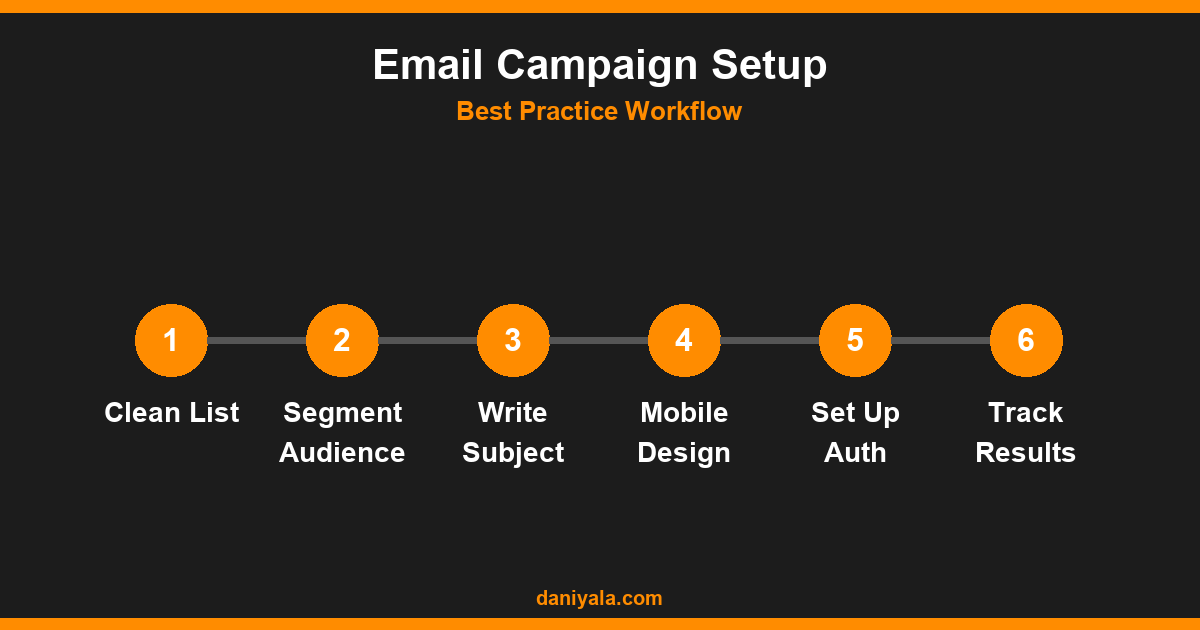
Sending the same email to your entire list is how you get average results. The businesses I see getting strong email performance are the ones that segment — even if only into two or three basic groups — and write messages relevant to each segment’s situation.
Simple segmentation approaches that work at any list size:
- By interest or service: If you offer both SEO and WordPress development, your SEO clients do not need to read every email about plugin updates. Segment by what each subscriber signed up for or purchased.
- By engagement level: Separate your highly engaged subscribers (opened in the last 30 days) from cold subscribers (no opens in 90+ days). Send different content — nurture the cold ones with a re-engagement sequence rather than your regular newsletters.
- By position in the funnel: New leads need different content than existing clients. An onboarding sequence for new subscribers is more relevant than a promotional email the day they sign up.
- By purchase history: For e-commerce or service businesses, subscribers who have already bought from you respond to upsell and cross-sell content rather than introductory offers.
Most email platforms — Mailchimp, Mailerlite, ConvertKit — support basic tags and segments from the free tier. Use them from day one rather than trying to retrofit segmentation to an untagged list later.
Write Subject Lines That Get Opened
If your subject line does not earn the open, nothing else in the email matters. Subject lines are the single most tested element in email marketing for a reason — a 5% improvement in open rate translates directly into more revenue from the same list size.
What makes a subject line work:
- Specificity beats cleverness: “5 WordPress plugins that cut page load time by half” outperforms “You need to read this.” Vague curiosity bait trains subscribers to ignore you over time.
- Keep it under 50 characters: Most mobile email clients truncate subject lines after 40–50 characters. Front-load the most important information.
- Use the preview text strategically: The preheader (preview text) is the second subject line. It should extend the subject, not repeat it or leave it as “View in browser.”
- Avoid spam trigger words: “Free,” “guaranteed,” “act now,” excessive exclamation marks, and ALL CAPS training inbox providers to filter your emails. Use them sparingly if at all.
- Test two variants: Even a simple A/B test with two subject lines on your next campaign builds data about what your specific audience responds to. Do not guess — test.
Design Emails for Mobile First
More than half of all email is opened on mobile devices, depending on your audience and industry. An email that looks great on desktop but requires horizontal scrolling or has unreadable small text on mobile will be deleted in seconds.
Mobile-first email design principles:
- Single-column layout: Multi-column designs break or become unreadably small on mobile. Use a single column that stacks cleanly.
- Minimum 16px body text: Anything smaller requires pinching to zoom on most phones. Use 16px for body copy and 20–22px for headers.
- Large, tappable CTAs: Buttons should be at least 44px tall and wide enough to tap easily with a thumb. Do not use text links as your primary call to action.
- Optimised images: Keep images under 1MB and always include alt text — many mobile clients block images by default, and subscribers with images off need the alt text to understand what they are looking at.
- Preview on real devices: Send yourself a test email and open it on your actual phone before every send. What looks fine in a desktop email builder can look broken on a real screen.
Get Your Email Deliverability Right
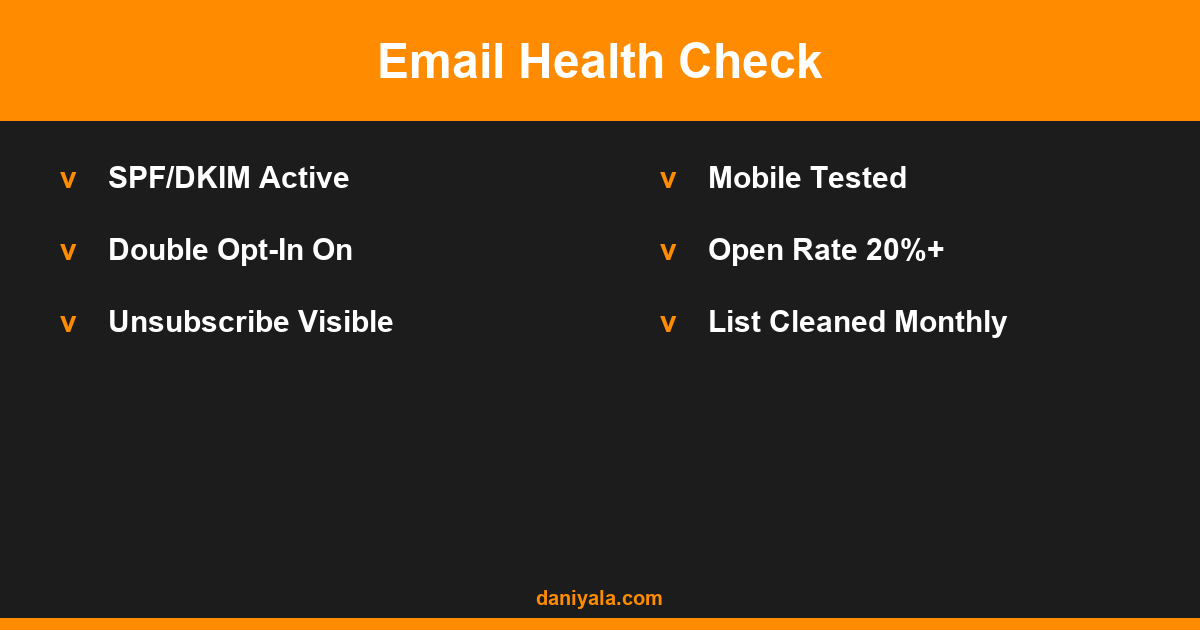
Deliverability is whether your emails actually reach the inbox. It is the most technical aspect of email marketing, but ignoring it means you could be sending emails that 30–40% of subscribers never see, because they are going straight to spam.
The technical foundations every sender needs in place:
- SPF record: A DNS record that lists which mail servers are authorised to send email from your domain. Your email platform will give you the exact record to add.
- DKIM signature: A cryptographic signature added to outgoing emails that proves the email was not modified in transit. All major platforms support DKIM setup.
- DMARC policy: A policy that tells inbox providers what to do if an email fails SPF or DKIM checks. Start with a monitoring-only policy (
p=none) and monitor the reports before moving to stricter enforcement. - Send from your own domain: Sending from a Gmail or Yahoo address while using an email marketing platform will cause deliverability problems. Use a domain-based sending address like hello@yourdomain.com.
Google and Yahoo now require bulk senders (over 5,000 emails/day) to have SPF, DKIM, and DMARC configured. Even if you send far less than that, implementing these protects your sender reputation and improves inbox placement. Check Google’s email deliverability guidelines for the current technical requirements.
For WordPress users running WooCommerce or contact forms, the email marketing for small business guide covers transactional email setup and platform choices in detail.
Choose the Right Sending Frequency
Sending too often trains subscribers to ignore you or unsubscribe. Sending too rarely means you are forgotten by the time you send. There is no universal right answer — it depends on your content type, audience expectations, and what you agreed to when they signed up.
Practical frequency guidelines:
- Newsletters / updates: Weekly or biweekly works well for most service businesses and content creators. Monthly is acceptable but risks low recall between sends.
- Promotional emails: Limit to 1–3 per month for offers, launches, and sales events unless subscribers opted in specifically for frequent deals (e.g., a discount newsletter).
- Automated sequences: These are frequency-agnostic — they fire based on subscriber behaviour, not a calendar. Welcome sequences typically run 3–5 emails over the first 7–14 days.
Set expectations at the point of signup. Tell subscribers how often they will hear from you and what to expect — and then consistently deliver exactly that. People unsubscribe less when they get what they signed up for.
Set Up Automated Email Sequences
Manual newsletters are good; automated sequences are better. Automation lets you send the right message at the right moment based on subscriber behaviour, without you being present. Once built, sequences work 24/7.
The sequences worth building first for most small businesses:
- Welcome sequence: 3–5 emails over 7–14 days introducing who you are, your best content or offers, and what you do. Every new subscriber should go through this.
- Lead nurture sequence: For subscribers who downloaded a lead magnet or signed up for a free resource, a nurture sequence moves them from awareness to consideration over 2–4 weeks.
- Re-engagement sequence: For subscribers who have not opened in 90+ days, a 3-email sequence asking if they still want to hear from you. Those who do not engage get suppressed — protecting your sender reputation.
- Post-purchase or post-project sequence: For clients, a sequence that onboards them, delivers value, and requests a review or referral at the right moment.
The email automation for small business guide covers sequence architecture and platform-specific setup in detail.
Measure What Actually Matters
Email platforms show you a lot of numbers. Most of them are vanity metrics. Focus on the ones that tell you whether your email program is generating business results, not just opens.
The metrics worth tracking:
- Open rate: Industry average is 20–30% depending on niche. Below 15% consistently suggests deliverability or subject line problems. Note that Apple Mail Privacy Protection inflates open rates on Apple devices — use click rate as your primary engagement signal.
- Click-to-open rate (CTOR): The percentage of people who opened who also clicked. This measures content relevance. CTOR below 5–10% suggests your content or CTA is not compelling enough for the people who opened.
- Unsubscribe rate: Below 0.3% per campaign is healthy. Higher than this consistently means frequency or content mismatch.
- Spam complaint rate: Should be below 0.1%. Above this triggers deliverability issues with Gmail and Outlook. Check your email platform’s deliverability dashboard regularly.
- Conversion rate: Clicks that turn into the action you wanted — a purchase, a booking, a reply. Track this with UTM parameters in your email links connected to Google Search Console or Google Analytics.
Review these metrics monthly per campaign type, not just per send. Trends matter more than any single send’s numbers.
Frequently Asked Questions
What is the most important email marketing best practice for small businesses?
List quality and deliverability setup are the foundations everything else depends on. A well-designed email to an engaged, permission-based list with correct SPF and DKIM records will always outperform a polished campaign sent to a cold or purchased list with no technical setup. Start with your list and technical authentication before worrying about design or copy.
How often should a small business send marketing emails?
Weekly or biweekly newsletters work well for most service businesses. Avoid dropping below monthly if you want to stay relevant — subscribers forget who you are. Promotional emails should be limited to 1–3 per month unless subscribers opted in specifically for frequent deals. Set clear frequency expectations at signup and honour them consistently.
What is a good open rate for email marketing?
A good open rate is 20–30% depending on your industry and audience type. B2B lists targeting professionals often see 25–40%. E-commerce and mass-market lists typically see 15–25%. Apple Mail Privacy Protection inflates open rates for Apple Mail users since iOS 15 — treat click rate and conversion rate as your primary engagement metrics rather than open rate alone.
Does double opt-in hurt list growth?
Double opt-in reduces raw sign-up numbers by 20–30% because some people never confirm. However, the list you build is cleaner, more engaged, and delivers better open and click rates. Deliverability improves because confirmed addresses are valid and interested. For most service businesses, the quality gains more than compensate for the volume reduction.
What email platform is best for a small business?
Mailerlite is the best value for most small businesses starting out — generous free plan, good automation features, and clean deliverability. Mailchimp is the most widely known with a larger template library. ConvertKit suits content creators and course sellers well. For WordPress-integrated email, MailPoet is a solid option that handles both marketing and transactional email from within WordPress.
Need help implementing this? I’m Daniyal — freelance SEO & WordPress expert. Contact me or find me on Upwork.








 by Daniyal © 2026 All Rights Reserved