

When a small business client asks me to recommend website design options, my first question is always: what do you need the site to actually do? The best website design for small business isn’t about visual trends — it’s about a site that loads fast, communicates clearly, and turns visitors into customers or leads. I’ve built enough small business websites to know what separates the ones that work from the ones that sit idle.
This guide covers platforms, key pages, design principles, and the mistakes I see most often — with honest takes on what actually matters when you’re building a website for a local or service-based small business.
Table of Contents
- What Makes a Small Business Website Effective
- The Best Website Design Approaches for Small Business
- Key Pages Every Small Business Website Needs
- Mobile-First Design — Why It’s Non-Negotiable
- Local SEO and Website Design
- Website Design Checklist for Small Business
- How Much Does Small Business Website Design Cost
- Common Small Business Website Design Mistakes
- Frequently Asked Questions
What Makes a Small Business Website Effective
Before we get to design specifics, it’s worth being clear on what “effective” means for a small business site. It means:
- Visitors can immediately understand what you do and where you operate
- Contact and conversion actions (call button, contact form, booking link) are visible without scrolling
- The site loads in under 3 seconds on mobile
- Google can find, crawl, and index the key pages
- Existing customers can find what they need (services, hours, address) without frustration
Design aesthetics matter — a polished site builds trust — but a visually beautiful site that loads in 8 seconds and hides the contact form will consistently underperform a plain site that’s fast and clear.
The Best Website Design Approaches for Small Business
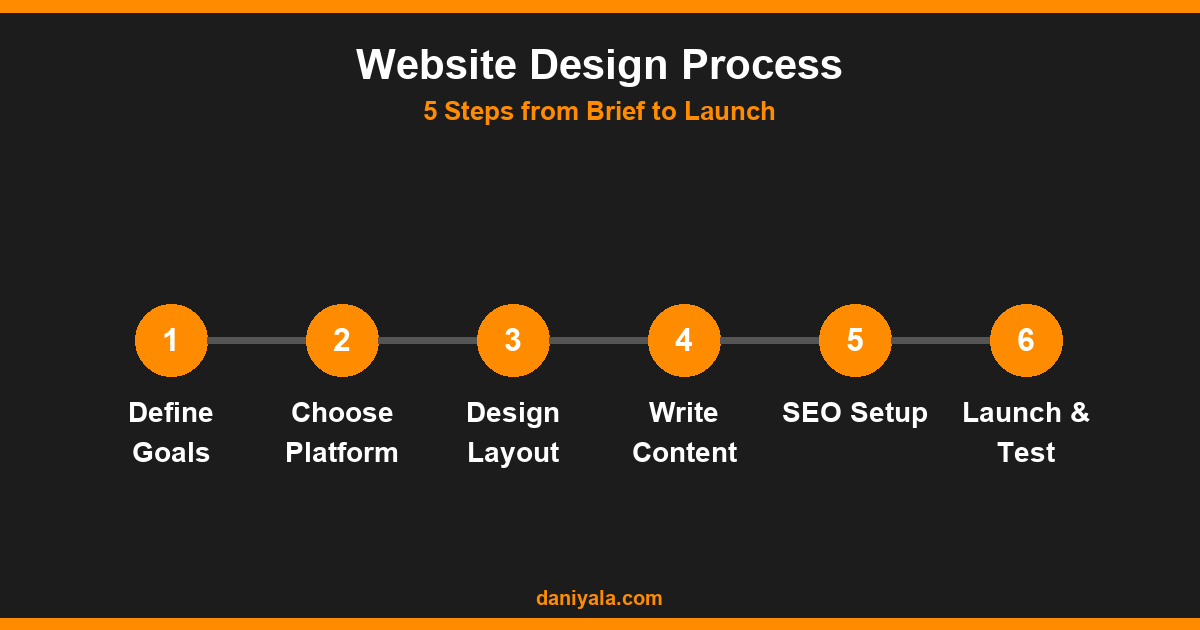
There are essentially three approaches to small business website design, each with different cost, flexibility, and long-term maintenance tradeoffs:
WordPress + Elementor (Best for Most)
For service businesses, consultants, local trades, and anyone who wants long-term control of their site, WordPress with Elementor is the strongest combination. You get full design flexibility, a mature plugin ecosystem, and complete ownership of your content. The upfront cost is higher than a website builder, but total cost of ownership over 3–5 years is typically lower. I’ve built over 70 client sites this way.
For the full details on what Elementor can do — from layout control to dynamic content and Theme Builder templates — see my elementor complete guide.
Squarespace or Wix (Best for Simplicity)
If you need a site quickly, don’t want to manage hosting or plugins, and have a limited budget for ongoing maintenance — Squarespace or Wix are reasonable starting points. Their templates have improved significantly. The downside: limited customization, monthly fees that compound, and less SEO flexibility than a self-hosted WordPress site.
Custom HTML/CSS (Best for Performance-Critical Uses)
For landing pages or microsites where performance is the primary concern and content rarely changes, a custom-built static site with no CMS overhead can achieve PageSpeed scores of 95–100. Not practical for most small businesses with non-technical teams, but worth knowing as an option for specific campaign pages.
Key Pages Every Small Business Website Needs
A focused, complete set of pages outperforms a large, thin site. These are the non-negotiables:
- Homepage: Clear headline (what you do + who you serve), above-the-fold CTA, social proof (reviews, client logos), links to key services
- Services pages: One page per service, or a hub with clear subsections. Never list services without describing the outcome the client gets
- About page: People do business with people. A genuine about page with a real photo and backstory converts better than generic company boilerplate
- Contact page: Form + phone number + address (with embedded map if location matters) + realistic response time expectation
- Blog/Resources: Ongoing content that answers questions your target customers search for — this is the SEO engine of the site
Mobile-First Design — Why It’s Non-Negotiable
Over 60% of searches for local businesses happen on mobile. If your site’s mobile experience is poor, you’re losing the majority of your organic traffic before they see your offer. Google also indexes the mobile version of your site first under its mobile-first indexing policy.
What mobile-first design means in practice:
- Test every page on a real phone, not just browser emulation, before launch
- Navigation: hamburger menus work, but keep the menu short — under 6 items
- Tap targets: buttons and links at least 48px tall — fingers aren’t mouse cursors
- No horizontal scrolling: if anything overflows on mobile, fix it before launch
- Font sizes: minimum 16px body text — 14px and smaller forces zooming
- Images: resize and compress for mobile — a 2MB hero image on mobile is a conversion killer
Local SEO and Website Design
For local service businesses, the website needs to do double duty: convert visitors and rank in local search. Design decisions that directly affect local SEO include:
- NAP consistency: Business Name, Address, Phone must appear verbatim on your site and match your Google Business Profile exactly
- Location-specific pages: If you serve multiple areas, build a dedicated page for each target city — don’t try to rank one page for 10 cities simultaneously
- LocalBusiness schema: JSON-LD markup on the homepage and contact page helps Google understand your service area and business type
- Google Maps embed: Add an embedded map on the contact page — it reinforces location signals and improves usability
For a deeper look at local SEO from a strategy perspective, see seo for small business — it covers the full picture including Google Business Profile optimization and local link building approaches.
Website Design Checklist for Small Business
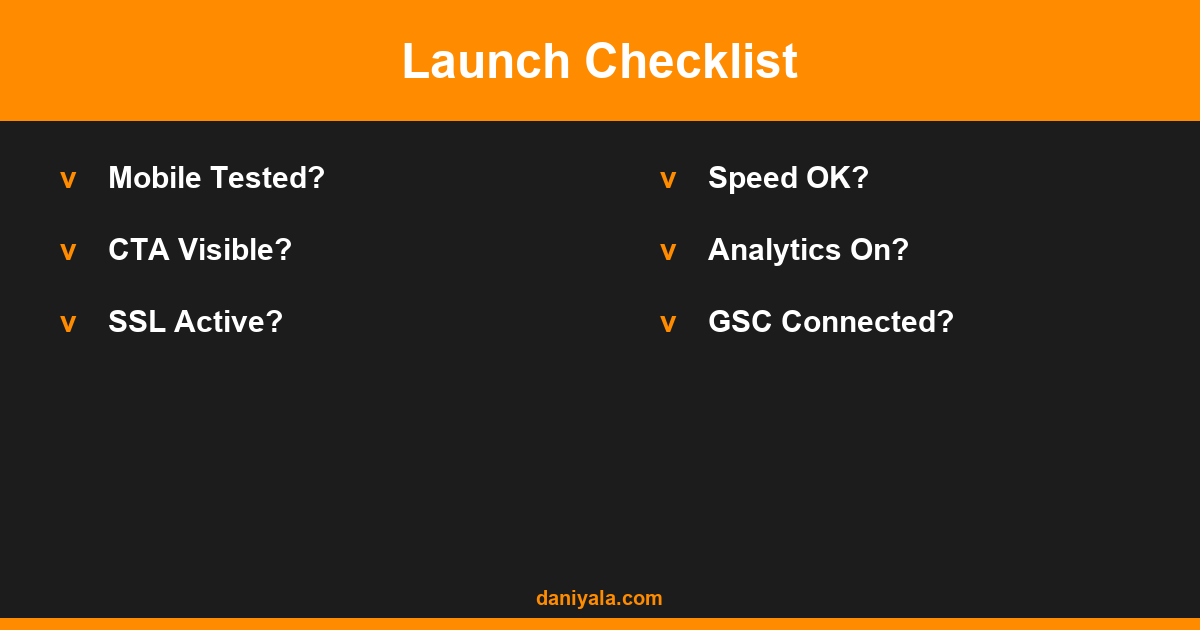
- Clear headline on homepage above the fold
- CTA button visible without scrolling
- Mobile responsive — tested on an actual device
- Page speed under 3 seconds on mobile (test with PageSpeed Insights)
- SSL certificate active (https://)
- Contact form works and sends to the correct email
- NAP information consistent and visible on-site
- Google Analytics or equivalent installed
- Google Search Console connected and site submitted
- Privacy Policy and any required legal pages present
- All images compressed and alt text filled in
- Meta titles and descriptions written for all key pages
How Much Does Small Business Website Design Cost
Cost ranges widely depending on scope, platform, and whether you hire a freelancer, agency, or build it yourself. Realistic ranges for 2026:
- DIY website builder (Squarespace/Wix): $150–$300/year for the subscription; your time investment on top of that
- Freelance WordPress site (basic): $800–$2,500 for a 5–7 page site with basic SEO setup
- Freelance WordPress site (custom): $2,500–$6,000 for custom design, WooCommerce, or advanced functionality
- Agency: $5,000–$25,000+ depending on complexity, deliverables, and location
For a full breakdown of what drives pricing at each budget level, see my website design cost guide. And for the specific small business platform decision in more depth, my earlier guide on website design for small business covers the considerations in detail.
The official WordPress project at wordpress.org is the best starting point to understand what the platform offers before committing to it as your foundation.
Common Small Business Website Design Mistakes
These are the most frequent problems I find when auditing small business websites:
- No clear CTA above the fold: Visitors shouldn’t have to scroll to figure out what to do next
- Stock photos only: Generic images reduce trust. Real photos of your team, premises, or work convert better and differentiate you from competitors
- Too much copy on the homepage: The homepage is a directory, not a brochure. Link to detail pages rather than cramming everything onto the home page
- No blog or resources section: Static sites don’t grow organically. Content is what drives ongoing search traffic
- Slow page speed: Uncompressed images, unused plugins, and heavy sliders are endemic on small business WordPress sites
- No Google Analytics: If you’re not measuring traffic, you can’t improve it
- Outdated copyright date in the footer: “Copyright 2021” is an immediate trust signal for all the wrong reasons
For design-focused SEO considerations, Elementor’s official documentation at elementor.com covers how to build SEO-friendly page templates natively in the builder.
Frequently Asked Questions
What is the best platform for small business website design?
WordPress with Elementor is the best choice for most small businesses that want long-term flexibility and full content ownership. Squarespace is a reasonable alternative if simplicity matters more than customization. Wix works for basic sites but has SEO and scalability limitations that become more significant as the site grows.
How many pages does a small business website need?
A functional small business site needs at minimum: Home, About, Services (or one per service), and Contact. Add a Blog for ongoing SEO value and a Portfolio or Case Studies page if your work is visual. Five to eight well-built pages will consistently outperform twenty thin, underdeveloped ones.
How long does it take to design a small business website?
A professional freelancer can build a solid 5–7 page WordPress site in 1–3 weeks depending on content readiness. The most common delay is content — if you need to write all the copy from scratch, add a week. Agency timelines typically run 4–12 weeks but include more strategy rounds and revisions.
Should I hire a local web designer or use an online freelancer?
For most small businesses, an online freelancer with a strong portfolio and verifiable reviews delivers better value than a local agency at the same price point. The exception is when in-person collaboration is genuinely necessary — photography coordination, on-site training sessions, or local market knowledge that really matters for your specific business.
Does website design affect Google rankings?
Directly, through Core Web Vitals (page speed, layout stability) and mobile usability — both are confirmed ranking factors. Indirectly, good design improves dwell time, reduces bounce rate, and encourages repeat visits — behavioral signals Google observes over time. A fast, well-structured site outranks a slow, confusing one with equivalent content quality.
Need help implementing this? I’m Daniyal — freelance SEO & WordPress expert. Contact me or find me on Upwork.












 by Daniyal © 2026 All Rights Reserved