
There’s no shortage of SEO plugins in the WordPress ecosystem, but the best free seo plugins for wordpress can handle the essentials without costing a dollar. After installing and testing these tools on client sites ranging from local services to WooCommerce stores, I’ve found that a good free plugin covers 90% of what most small businesses actually need. The remaining 10% — advanced schema, redirect management, multi-keyword tracking — is where paid tiers earn their keep. But let’s start with what you can get for free.
This comparison covers six plugins that are genuinely useful, actively maintained, and widely compatible with popular themes and builders including Elementor, Astra, and GeneratePress.
Table of Contents
Do Free SEO Plugins Actually Work?
Yes — with caveats. Free SEO plugins handle the core technical layer: title and meta description management, XML sitemap generation, basic schema markup, canonical URLs, image alt text optimization, and Open Graph tags for social sharing. These are the fundamentals that every site needs regardless of budget.
Where free tiers commonly fall short:
- Multi-keyword tracking (most free plugins support only one focus keyword per post)
- Advanced content analysis and semantic SEO scoring
- Redirect management (often requires an add-on or separate plugin)
- WooCommerce product SEO integration
- Priority support and dedicated documentation
If you’re a small business, a blogger, or just starting out: start free. Upgrade when you hit a specific limitation the free version can’t handle. Most sites never need to.
Rank Math Free (Best Overall)
Rank Math’s free version is the strongest free SEO plugin available right now. It delivers more features at no cost than most plugins offer at a paid tier — and I say that after using it on dozens of client sites.
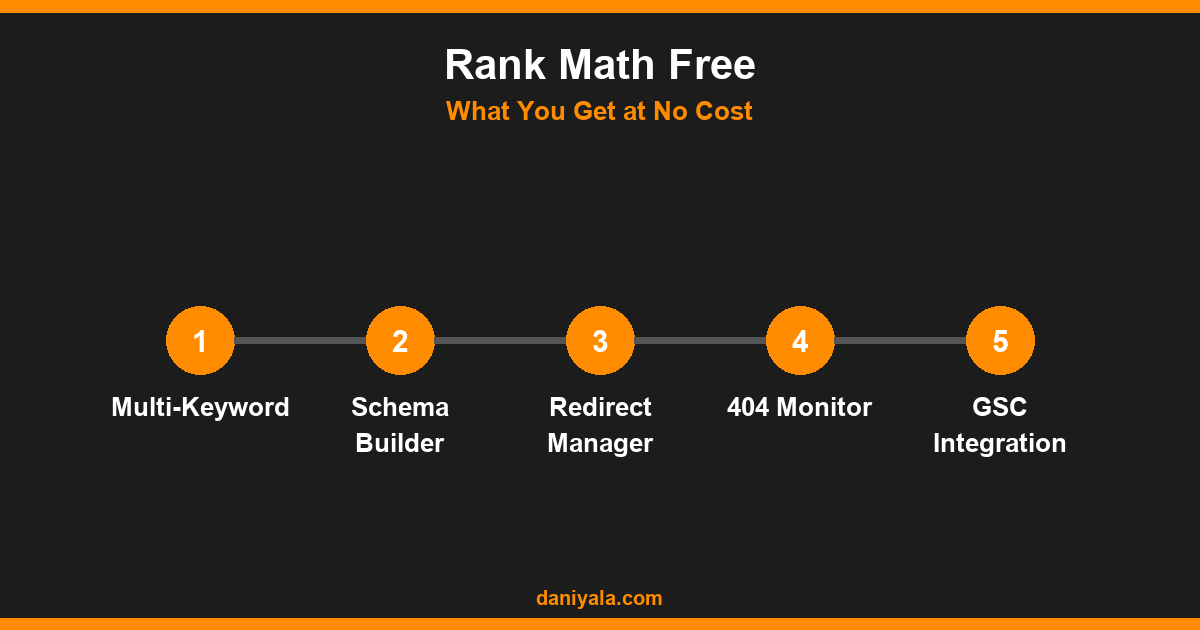
What Rank Math Free includes
- Unlimited focus keywords per post (yes, free — Yoast charges for this)
- Built-in schema markup: Article, FAQ, HowTo, Product, Local Business, and more
- Google Search Console integration showing keyword data in the editor
- 404 error monitor with automatic logging
- Redirect manager with regex support
- Sitemap with images, videos, and news support
- Role manager for team access control
- Breadcrumbs with structured data
Real-world experience: On a 50-page service site for a client, Rank Math Free handled everything from meta tags to schema to redirect management with zero paid add-ons. It’s my default recommendation for any new WordPress installation.
For a direct feature comparison between the two most popular options, see my detailed breakdown of Rank Math vs Yoast SEO.
Install: Available at wordpress.org/plugins/seo-by-rank-math/.
Best for: Most WordPress sites, especially those using Elementor, Astra, or Cadence themes.
Limitation: Content AI keyword suggestions and advanced analysis require a paid plan (from $6.99/month).
Yoast SEO Free
Yoast is the most installed WordPress SEO plugin in history with over 10 million active installs. It pioneered the “traffic light” content analysis model that’s now standard across the industry, and the free version remains genuinely excellent for beginners.
What Yoast SEO Free includes
- Single focus keyword with in-editor traffic light analysis (green/orange/red scoring)
- Readability scoring using Flesch-Kincaid and sentence length checks
- XML sitemap for posts, pages, categories, and custom post types
- Social sharing previews for Facebook and Twitter/X
- Basic schema: Article, WebPage, Website
- Title and meta description templates with variables
- Canonical URL management
Real-world experience: Yoast Free is excellent for writers and editorial teams because the in-editor checklist makes optimization visible and actionable. For a non-technical user who needs guidance on every post, it’s still my go-to recommendation for that specific profile.
Install: Available at wordpress.org/plugins/wordpress-seo/.
Best for: Beginners, editorial teams, content-heavy blogs with multiple writers.
Limitation: Multi-keyword tracking, redirect management, internal linking suggestions, and WooCommerce SEO all require Yoast Premium ($99/year per site).
All in One SEO Free (AIOSEO)
AIOSEO has been available since 2007 and remains a reliable choice, particularly for sites that eventually plan to use its paid WooCommerce integration. The free version covers the core essentials cleanly.
What AIOSEO Free includes
- Title and meta description management with smart variables
- XML sitemap and RSS sitemap
- Open Graph and social media previews
- Google Search Console integration
- Basic on-page analysis with TruSEO score
- Schema for posts, pages, and author profiles
- Robots.txt and .htaccess editor
Best for: Sites that anticipate upgrading to AIOSEO Pro for WooCommerce SEO, local business schema, or the link assistant feature.
Limitation: The free tier is less comprehensive than Rank Math Free in terms of schema types, redirect management, and built-in tools. It’s a solid plugin, but in a direct comparison, Rank Math offers more at no cost.
The SEO Framework
The SEO Framework is a lean, developer-friendly plugin built around performance and privacy. No phone-home data collection, no persistent admin notices pushing paid features, no gamification. Just clean, fast SEO infrastructure.
What The SEO Framework includes
- Full meta tag management for all content types
- XML sitemap generation
- Canonical URL management including pagination
- Open Graph and Twitter Cards
- Schema: WebSite, WebPage, SearchAction, BreadcrumbList
- Automated SEO for archives, categories, and taxonomies
- Preconfigured settings that work without touching anything
Best for: Developers, privacy-conscious sites, performance-focused builds, or anyone who finds Yoast and Rank Math too feature-heavy for a simple site.
Limitation: No per-post content analysis or keyword score. Non-technical users who want guidance on what to optimize will find this plugin too minimal.
Slim SEO
Slim SEO is a 50KB plugin that handles meta tags, sitemaps, schema, and Open Graph automatically — with near-zero configuration required. If you want to install it and focus on content rather than SEO settings, Slim SEO is designed for you.
What Slim SEO includes
- Auto-generated meta descriptions from post excerpt or first paragraph
- Schema for posts, pages, author, and homepage
- XML sitemap
- Open Graph and Twitter Card tags
- Breadcrumbs with structured data
- Canonical URLs
Best for: Simple brochure sites, developers who want minimal plugin footprint, sites where manual per-post SEO work isn’t needed.
Limitation: No keyword focus, no in-editor content analysis, no redirect management. Not suitable for active SEO campaigns where you’re tracking keyword performance.
Which Free SEO Plugin Should You Choose?
Here’s my recommendation based on actual use case:
- Most small businesses and active blogs: Rank Math Free. It’s the most complete free SEO plugin available and handles everything needed for an active SEO campaign — including redirects, schema, and multi-keyword tracking — at zero cost.
- Beginners who need content guidance: Yoast SEO Free. The traffic light system makes optimization intuitive and visible for writers who aren’t thinking about SEO naturally.
- Developer-built performance sites: The SEO Framework. Lightest footprint, no data collection, no upsell noise.
- Fire-and-forget sites: Slim SEO. Works automatically, zero configuration, stays out of your way.
For a fuller picture including paid tiers and more detailed feature comparisons, see our complete best SEO plugins for WordPress guide and the updated rankings in best SEO plugins for WordPress 2026.
Whichever plugin you choose, remember: the tool isn’t the strategy. The fundamentals — keyword targeting, quality content, technical health, and links — matter far more than which plugin you use to manage your meta tags. Start with a technical SEO audit to understand your site’s current state before doing anything else. And if you want the complete picture of how all of this fits together, my WordPress SEO guide covers plugin setup alongside every other element that actually drives rankings.
Frequently Asked Questions
Which free SEO plugin is best for WordPress beginners?
Yoast SEO Free is the most beginner-friendly option because its in-editor checklist explains what to optimize and why at every step. Rank Math Free is more powerful overall, but its interface has more options and a steeper learning curve. For a first-time WordPress site owner, Yoast’s guided experience is easier to act on immediately.
Is Rank Math Free really better than Yoast SEO Free?
For most users, yes. Rank Math Free includes unlimited focus keywords, a built-in redirect manager, 404 monitoring, more schema types, and GSC integration — all at no cost. Yoast Free offers better in-editor content guidance but locks multi-keyword support, redirects, and internal linking suggestions behind a $99/year paid plan.
Can I run two SEO plugins at the same time?
No. Using two SEO plugins simultaneously creates duplicate title tags, competing sitemaps, and conflicting schema markup. Choose one and stick with it. If you’re migrating from one plugin to another, most include an import wizard that transfers your existing meta data and settings cleanly.
Do free SEO plugins slow down WordPress?
Minor impact only. Rank Math and Yoast each add some page load overhead — typically under 50ms on a well-configured server. The SEO Framework and Slim SEO have virtually no measurable performance impact. If speed is critical, test with Query Monitor or a staging environment before committing to a plugin.
What do free SEO plugins not do that I still need to handle myself?
Free plugins don’t build backlinks, create content, or submit your site to search engines. They optimize the technical layer of what’s already there. You still need to do keyword research, publish quality content regularly, acquire links from other sites, and set up Google Search Console. The plugin is a tool — the strategy is entirely up to you.
Need help implementing this? I’m Daniyal — freelance SEO & WordPress expert. Contact me or find me on Upwork.












 by Daniyal © 2026 All Rights Reserved