
When clients ask me about website design for small business, my first question back is always: what should the website actually do? Most small business owners want something that looks professional, but the ones who get results online want something that converts. I’ve built WordPress sites for service businesses in Pakistan, the UK, and across the Gulf — and the pattern is consistent. The sites that generate leads share the same principles. This guide lays them out.
Table of Contents
- Why Your Small Business Website Is Your Most Valuable Sales Tool
- What a High-Converting Small Business Website Actually Looks Like
- Choosing the Right Platform: WordPress vs. the Alternatives
- Essential Pages Every Small Business Website Needs
- Design Principles That Convert Visitors into Clients
- Speed and Performance: The Non-Negotiable Foundation
- Mobile-First Design: Non-Negotiable in 2026
- On-Page SEO Built Into Your Design
- How Much Does Website Design for Small Business Cost?
- Frequently Asked Questions
Why Your Small Business Website Is Your Most Valuable Sales Tool
Your website operates 24/7, handles objections before a prospect ever contacts you, and builds trust faster than any business card or brochure. A poorly designed site — slow, cluttered, or unclear about what you do — costs you sales silently. You’ll never see the visitors who left within three seconds.
A well-designed small business website:
- Builds trust before the first phone call
- Answers the questions customers have at midnight when they’re making decisions
- Converts organic search and paid ad traffic into actual enquiries
- Differentiates you from competitors who have generic, template-looking sites
This isn’t about looking impressive. It’s about being convincing. Every design decision should serve that goal.
What a High-Converting Small Business Website Actually Looks Like
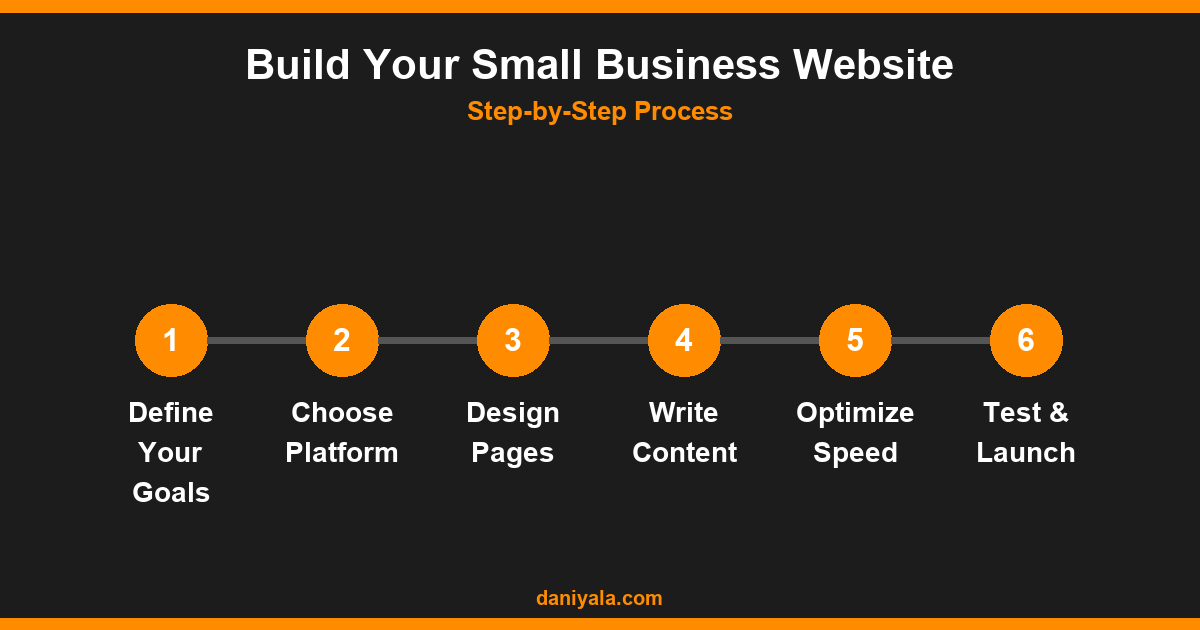
I’ve audited hundreds of small business sites. The ones that convert share specific structural patterns — and they’re not what most people expect. It’s rarely the colour palette or the animations. It’s the clarity and hierarchy.
High-converting small business websites consistently have:
- A clear headline above the fold — who you help, what you do, why you’re different. One or two sentences, not a tagline.
- Social proof near the top — Google review stars, client logos, or testimonial snippets as early as possible on the page, not buried below the fold
- One primary call-to-action per page — “Get a Free Quote”, “Book a Consultation”, “Call Now”. Pick one and repeat it three times down the page.
- Simple navigation — 5–6 items maximum. Small businesses don’t need mega-menus.
- Real photos of real people — the business owner, the team, the workspace. These outperform stock photos on every metric I’ve tested.
The sites that underperform are usually vague about what they offer, cluttered with widgets nobody clicks, or so slow that visitors leave before the page loads.
Choosing the Right Platform: WordPress vs. the Alternatives
For most small businesses building a serious web presence, WordPress is the right choice. It runs over 40% of websites on the internet, is deeply SEO-friendly, and gives you full ownership of your site without being locked into a proprietary ecosystem. I cover the full SEO angle in my WordPress SEO guide, but here’s the platform comparison in brief:
| Platform | Best For | SEO Flexibility | Cost Model |
|---|---|---|---|
| WordPress | Most small businesses | Excellent | Hosting only (~$5–25/mo) |
| Wix | Simple brochure sites | Improving, but limited | Monthly subscription |
| Squarespace | Design portfolios | Decent | Monthly subscription |
| Shopify | Ecommerce-first | Good for products | Moderate-high monthly |
WordPress gives you full control over technical SEO, your choice of hosting, unlimited plugin options, and design flexibility. You’re not at the mercy of a platform changing its pricing or removing features. If you’re building a long-term business asset, that independence matters.
The trade-off is a steeper setup curve. But with Elementor as your page builder, you can build professional-looking pages without touching code. My Elementor complete guide covers the full workflow from blank canvas to launch-ready page.
Essential Pages Every Small Business Website Needs
A small business site doesn’t need 30 pages. It needs the right ones, done well. These are the core pages I build into every client project:
- Home — your first impression and primary conversion page. Needs a strong hero, social proof, services overview, and CTA.
- About — builds the personal trust that makes people pick you over a nameless company. Include your background, your approach, and why you started.
- Services — ideally one page per distinct service. A “Services” page with 10 bullet points ranks for nothing. A dedicated “Website Design for Restaurants” page can rank for that exact query.
- Contact — phone, email, WhatsApp, a simple form. If you have a physical location, Google Maps embed and full address.
- Testimonials or Results — social proof deserves its own page, not just scattered widgets.
- Blog — optional at launch, but the biggest driver of long-term organic traffic. Worth adding early even with just a few posts.
If you have distinct service categories, create separate pages for each. Google ranks pages, not websites. A dedicated page for a specific service in a specific location will outperform a generic page every time.
Design Principles That Convert Visitors into Clients
Design decisions that look good don’t always work commercially. Here’s what I prioritise on small business sites for conversion:
White space is not wasted space. Crowded pages make everything compete for attention equally — which means nothing stands out. Give important elements room to breathe.
CTA buttons must contrast sharply. Your primary action button should be the most visually distinct element on the page. If everything is orange, the button disappears. Use a colour that pops against your palette.
Trust signals should be prominent, not hidden. SSL padlock, Google review ratings, years of experience, certifications, professional affiliations — these belong near the top of the page, not in the footer.
Forms should be short. Every additional field you add reduces submission rates. For an initial enquiry form: name, email, and message is enough. You can get the rest on the call.
Use specific numbers. “Helped 50+ businesses” outperforms “We help many businesses.” Specificity is a credibility signal, and readers unconsciously trust precise claims over vague ones.
Speed and Performance: The Non-Negotiable Foundation
Page speed is directly tied to both conversions and rankings. Google factors speed into rankings via Core Web Vitals — particularly Largest Contentful Paint (LCP). Research consistently shows that sites loading above 3 seconds see dramatically higher bounce rates. A visitor who leaves before your page loads is a lead you never had.
The core performance stack I use on every small business WordPress build:
- Managed hosting — Cloudways or Kinsta rather than cheap shared plans where you share resources with hundreds of other sites
- Caching — WP Rocket configured properly, or LiteSpeed Cache if your host supports LiteSpeed
- Image optimisation — WebP format served by default, lazy loading enabled, ShortPixel for compression
- CDN — Cloudflare free tier covers most small business needs with minimal configuration
- Lean plugin stack — every plugin adds request overhead; audit quarterly and remove what you don’t use
My WordPress speed optimisation guide goes into detail on each of these. For testing, Google PageSpeed Insights gives you a score plus actionable, priority-ranked fixes — free and updated regularly.
Mobile-First Design: Non-Negotiable in 2026
Google indexes your site’s mobile version first. If your site functions poorly on a phone, you’re penalised in rankings before a single visitor even arrives. Over half of all local business searches happen on mobile, often from people who are ready to book.
Mobile-first in practice means:
- Testing every page on real devices, not just browser viewport resizing
- Tap targets (buttons, links) a minimum of 44px tall
- No horizontal scrolling at any screen size
- Click-to-call phone number in the mobile header
- Forms that work cleanly on a touchscreen keyboard
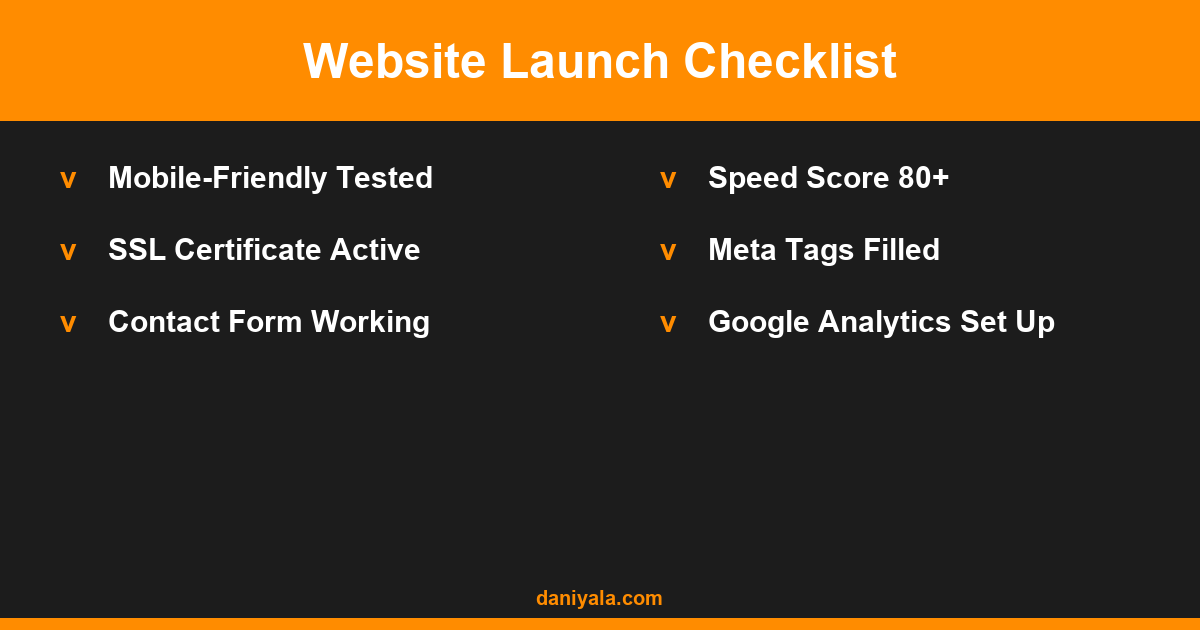
Use Google’s Mobile-Friendly Test on every page before launch. It flags specific issues and takes 10 seconds to run.
On-Page SEO Built Into Your Design
Good website design and good SEO are the same discipline approached from different angles. A site that’s clearly structured and communicates what it does will be understood by search engines too. The basics to build in from day one:
- One H1 per page — contains the primary search term you want that page to rank for
- Logical H2/H3 structure — hierarchy should reflect content, not just styling choices
- Meta titles and descriptions — filled out for every page using a plugin like RankMath, not left as WordPress defaults
- Schema markup — LocalBusiness schema tells Google your address, phone number, service area, and opening hours
- Internal links — connect service pages to relevant blog content to build topical authority over time
My technical SEO checklist covers every element worth checking at launch and at each quarterly audit. RankMath’s free plan handles all the meta configuration you need for a small business site without paying for Yoast Premium.
How Much Does Website Design for Small Business Cost?
The honest answer is that costs vary wildly. Here’s a realistic breakdown for 2026:
| Option | Cost Range | Timeline | Best For |
|---|---|---|---|
| DIY (Elementor + template) | $50–200/yr | Weeks | Tiny budgets, time-rich owners |
| Freelancer (Pakistan/South Asia) | $300–1,000 | 2–4 weeks | Small businesses needing custom quality |
| Freelancer (UK/US/Australia) | $1,500–5,000 | 4–8 weeks | Competitive markets, larger budgets |
| Agency | $5,000–25,000+ | 2–4 months | Complex sites, ecommerce, enterprise |
For a detailed breakdown of what each price point includes and what questions to ask before signing anything, read my guide on website design costs. The most expensive option isn’t always the best — I’ve seen £10,000 agency sites that convert worse than a £500 custom Elementor build, because the agency prioritised aesthetics over lead generation.
Frequently Asked Questions
How many pages does a small business website need?
Most small businesses need 5–8 pages: Home, About, one page per core service (not a single services page listing everything), Contact, and optionally a Testimonials page and Blog. This gives search engines enough to understand what you offer and customers enough to make a decision without overwhelming them. Quality of pages matters more than quantity.
Should I build my own website or hire a developer?
If you have 20–30 hours to invest in learning WordPress and Elementor, a DIY build is viable for a basic brochure site. If you’re counting on your website to generate leads, hire someone. The cost of a good freelance build is typically recovered within the first two or three new clients the site brings in. A badly built site can also actively hurt your rankings and credibility.
How long does it take to build a small business website?
A standard 5–7 page site takes 2–4 weeks with a freelance developer, assuming you supply the copy and photos. Client content is almost always the bottleneck — not the design. If you come to the project with your text and images ready, a good developer can get you live in under two weeks.
What platform is best for small business websites?
WordPress is the best long-term choice for most small businesses because of its SEO flexibility, ownership model, and ecosystem of tools. Wix and Squarespace are easier to start with but impose limitations that become frustrating as your business grows — particularly around technical SEO and custom integrations. If your primary goal is ecommerce, Shopify is worth considering instead.
What’s the biggest mistake small businesses make with their websites?
Prioritising design over clarity. A visually impressive site that doesn’t quickly answer “what do you do, who do you help, and why should I trust you?” will underperform a simpler, clearer site every time. Start with the message and structure, then apply the visual design on top — not the other way around.
Need a website that actually generates leads? I’m Daniyal — freelance WordPress developer & SEO specialist. Contact me or find me on Upwork.








 by Daniyal © 2026 All Rights Reserved