
A solid technical seo checklist is what separates sites that rank from sites that should rank. You can produce the best content in your niche, but if Googlebot cannot crawl your pages efficiently, or your Core Web Vitals are failing, your rankings will plateau well below your potential. I use this exact checklist when starting a new client audit — it catches 90% of the technical issues that silently cap a site’s organic traffic. Run through it once, fix what applies, and you will see ranking improvements within 2–6 weeks on most sites.
For the full audit methodology behind this checklist, see the complete technical SEO audit guide. This article gives you the actionable checklist to work from directly.
Table of Contents
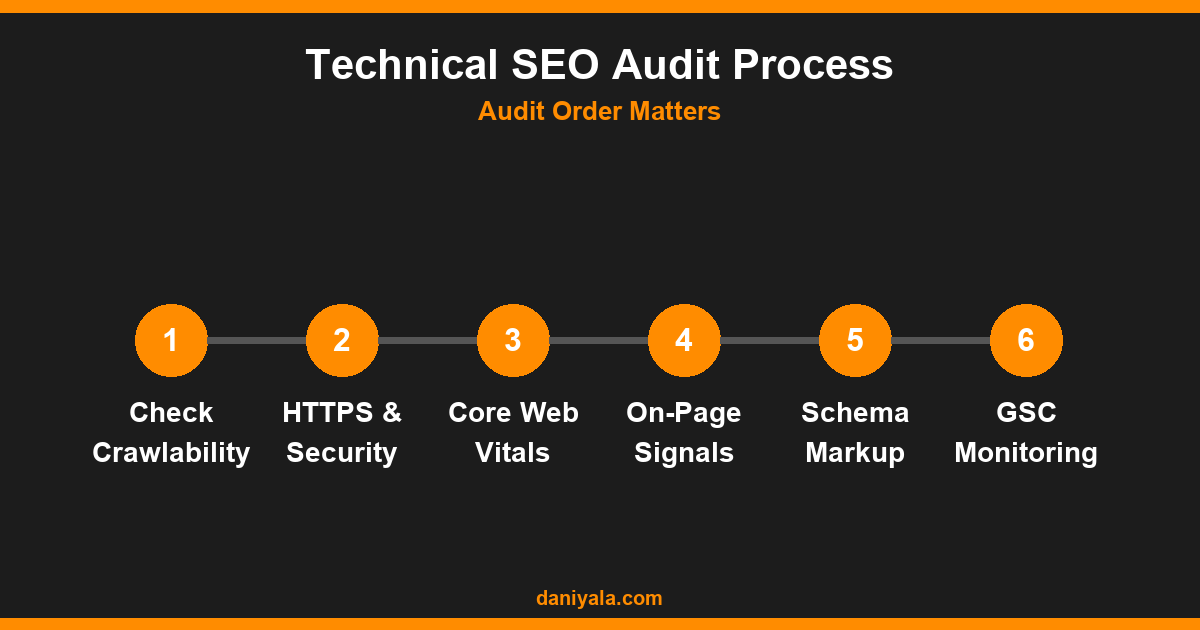
Crawlability and Indexability
Google cannot rank what it cannot access. Before worrying about content or links, confirm that Googlebot can reach and index your important pages. These issues are foundational — every other optimisation builds on them.
- Robots.txt is correct — check
yoursite.com/robots.txtdirectly. Confirm it is not blocking key pages or the entire site. Many sites I audit have staging-environment rules that accidentally leaked into production, blocking entire directories - Noindex tags are intentional — review all pages tagged with
meta name="robots" content="noindex". RankMath and Yoast can apply these by accident to categories, archives, or individual posts via incorrect plugin settings - Canonical tags are correct — every important page should have a self-referencing canonical unless it is a duplicate that should point elsewhere. Conflicting canonicals generated by two plugins simultaneously are more common than most site owners realise
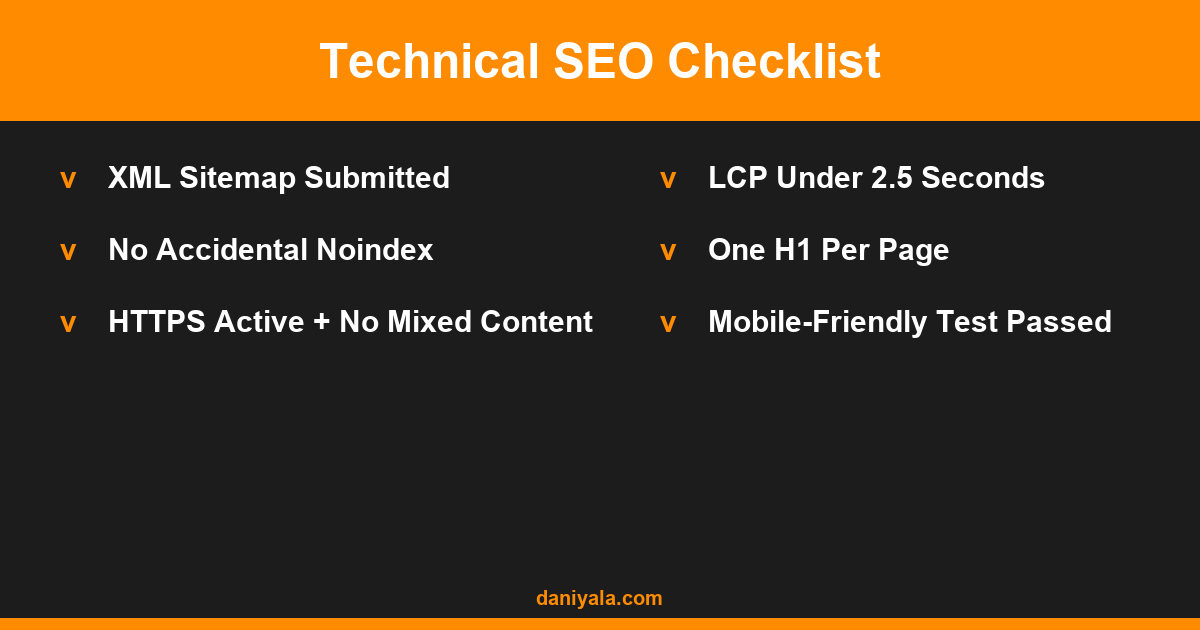
- XML Sitemap is submitted and clean — submit to Google Search Console and confirm there are no errors. The sitemap should include only indexable pages, not 404s, redirects, or noindex pages
- URL structure is consistent — no trailing slash inconsistency, no mixed HTTP and HTTPS URLs, no unnecessary session or tracking parameters baked into important page URLs
HTTPS and Security
HTTPS is a confirmed Google ranking signal and a basic trust signal for visitors. Every page on your site should load over HTTPS with a valid certificate and zero mixed content errors. Getting this wrong creates ranking penalties and browser security warnings simultaneously.
- SSL certificate is valid and not expired — Let’s Encrypt certificates renew every 90 days. Confirm auto-renewal is configured and functioning. Expired certificates produce hard browser errors that kill conversions instantly
- No mixed content — inspect pages with browser DevTools. Any resource loading over HTTP on an HTTPS page triggers a mixed content warning that removes the padlock icon and reduces visitor confidence
- HTTP redirects to HTTPS — type
http://yoursite.comin a browser. It should 301-redirect to HTTPS, not load over plain HTTP or return an error - www and non-www are consistent — pick one version and 301-redirect the other. Your canonical URLs should match your preferred version throughout
Site Speed and Core Web Vitals
Google uses Core Web Vitals as part of the Page Experience ranking signal. These three metrics — LCP, INP, and CLS — need to pass thresholds to avoid being disadvantaged relative to faster competitors targeting the same keywords.
- LCP under 2.5 seconds — Largest Contentful Paint. Usually a hero image or large heading element. Fix by compressing images, using a CDN, and removing render-blocking CSS above the fold
- INP under 200ms — Interaction to Next Paint. Heavy JavaScript is the usual cause. Defer non-critical JS and audit plugins that add interaction event listeners to every page
- CLS under 0.1 — Cumulative Layout Shift. Caused by images without defined dimensions, late-loading embeds, or ads injected after the page renders. Set explicit width and height on all images
- TTFB under 200ms — Time to First Byte. A server response time issue. Fix with page caching, better hosting, or a CDN. Measure via Google PageSpeed Insights
For WordPress sites specifically, plugin-level settings that affect Core Web Vitals are covered in the WordPress SEO guide.
On-Page Technical Signals
These are technical elements within each page that directly influence how Google interprets and ranks your content. They sit at the boundary between technical SEO and on-page SEO, and both disciplines need to own them.
- One H1 per page — the H1 should contain your primary keyword. Multiple H1 tags confuse Googlebot about the page’s primary topic. Many WordPress themes generate a second H1 from the site title in the header — check and fix this
- Title tags are unique and under 60 characters — duplicate titles are common on e-commerce sites where category filters generate near-identical pages with slight URL parameter variations
- Meta descriptions are written and under 160 characters — not a direct ranking signal, but they strongly influence click-through rate from search results
- Images have descriptive alt text — include the target keyword naturally in the alt attribute. Alt text is read by Googlebot and improves image search visibility
- Internal linking is intentional — pillar pages should attract more internal links than supporting pages. Orphaned pages with zero internal links rarely rank for anything competitive
- No unintentional duplicate content — check for pagination issues, tag archive pages, and URL parameter variations creating near-identical pages. Use canonical tags or noindex to resolve
Structured Data
Schema markup helps Google understand the type and context of your content. It is not a direct ranking factor, but it enables rich results — FAQ snippets, star ratings, breadcrumbs — that significantly improve click-through rates from the search results page.
- Article schema on all blog posts — RankMath adds this automatically when Article is selected as the post type schema
- FAQPage schema on posts with FAQ sections — validate with Google’s Rich Results Test before publishing
- LocalBusiness schema for service-based businesses with a physical location — include address, phone number, business hours, and geo-coordinates
- BreadcrumbList schema for site navigation — helps Google understand your site hierarchy and displays breadcrumbs in search results
- No schema errors — check Google Search Console’s Enhancements reports weekly for invalid or missing required fields
Mobile Friendliness
Google uses mobile-first indexing, which means the mobile version of your site is what it crawls, indexes, and ranks — not the desktop version. Mobile SEO is not a separate concern; it is the primary one.
- Site passes Google’s Mobile-Friendly Test — test every key page template: homepage, blog post, category page, contact page, and product page if applicable
- Text is readable without zooming — minimum 16px body font size on mobile viewports. Smaller text forces visitors to pinch-zoom, which signals a poor mobile experience
- Tap targets are large enough — buttons and links should be at least 48×48px to avoid mis-taps. Small tap targets are a common cause of poor INP scores on mobile
- No horizontal scrolling — test on real mobile devices, not just browser responsive mode. Some CSS properties behave differently on actual hardware
- No intrusive interstitials on first interaction — full-screen popups that appear immediately on mobile are a Page Experience penalty trigger
Redirects and Error Handling
Broken pages and redirect chains waste crawl budget and dilute PageRank. A quarterly redirect and error audit keeps these manageable before they compound into a larger crawlability problem.
- No 404 errors on internal links — Screaming Frog or Ahrefs Site Audit catches these during a crawl. Fix by updating the link to the correct destination or setting up a 301 redirect
- No redirect chains longer than one hop — URL A redirecting to URL B redirecting to URL C loses PageRank at each hop. Redirect A directly to C
- 301 for permanent redirects, 302 for temporary — using 302 where 301 is correct means PageRank is not transferred to the destination
- Custom 404 page exists and links to important pages — a helpful 404 page keeps visitors on site rather than bouncing immediately to a competitor
Understanding how long these technical fixes take to translate into ranking improvements is covered in the how long does SEO take to work guide.
Google Search Console Monitoring
Google Search Console is the closest thing you have to reading Google’s assessment of your site. It should be reviewed weekly as a diagnostic tool, not only when something breaks. The most actionable reports for technical SEO:
- Coverage report — shows which pages are indexed, excluded, or errored. Any status of Valid with Warning or Excluded needs investigation to determine whether it is intentional
- Core Web Vitals report — displays CWV status across URL groups, split by mobile and desktop. Use this to prioritise which page templates to fix first
- Enhancements reports — flags structured data errors and breadcrumb issues that would otherwise be invisible
- Manual Actions — under Security and Manual Actions in the left navigation. Most sites never see a manual penalty, but it warrants a weekly check
- Crawl Stats — under Settings, then Crawl Stats. Unusually low or declining crawl rates on a growing site can indicate server errors or crawl budget exhaustion on large sites
Pair this technical checklist with your broader SEO marketing strategy to prioritise where to focus effort based on traffic and business impact.
Submit your site to Google Search Console and connect it to your analytics account before beginning any technical SEO work — every item on this checklist has a corresponding GSC report you should monitor.
Frequently Asked Questions
How often should I run a technical SEO checklist?
Run a full technical audit every 3–6 months, or after any major site change — theme switch, plugin updates, domain migration, or content management system change. Check Google Search Console weekly for new crawl errors or manual actions. Don’t wait for a ranking drop to run through the checklist; by that point, the issue has already cost you traffic.
What is the most important item on the technical SEO checklist?
Crawlability first. If Google cannot reach and index your pages, nothing else matters. Confirm robots.txt isn’t blocking key pages, your sitemap is submitted and error-free, and no unintentional noindex tags are applied. After that, Core Web Vitals — especially LCP — typically have the most direct impact on competitive keyword rankings.
Do I need Screaming Frog for technical SEO?
For sites under 500 pages, Google Search Console plus manual checks cover most issues. For larger sites, Screaming Frog’s free tier (up to 500 URLs) or Ahrefs Site Audit gives you crawl-level data that GSC alone cannot provide — redirect chains, missing alt text, duplicate title tags, orphaned pages. For sites with thousands of pages, paid tools become essential for comprehensive technical auditing.
Does technical SEO still matter if I have strong content?
Yes. Great content that cannot be crawled, or that loads in 8 seconds, will not rank against average content that loads in 1 second and is cleanly indexed. Technical SEO is the floor — content and links build on top of it. The two reinforce each other: fast, well-structured pages rank more easily, which means your content investment delivers better returns.
What is crawl budget and does it matter for small sites?
Crawl budget is the number of pages Googlebot crawls on your site within a given period. For small sites under 1,000 pages, it rarely matters — Google crawls everything frequently. It becomes significant for large sites with tens of thousands of pages, where you need to direct Googlebot toward important pages and away from low-value URLs like tag archives, filtered category pages, and duplicate parameter variations.
Want me to run this checklist on your site? I do full technical SEO audits — crawl analysis, Core Web Vitals review, schema validation, and a prioritised fix list you can act on immediately. Request a technical audit or find me on Upwork.








 by Daniyal © 2026 All Rights Reserved